How to Write a User Story Effectively in 2026: A Practical Agile Guide

In Agile projects, requirements are no longer written in lengthy documents that take weeks to produce and months to update. Agile teams use user stories to represent requirements from the user’s perspective and to deliver value more quickly.

But a lot of teams struggle with how to write a user story that is clear, actionable, and valuable. Poorly composed stories lead to confusion, delays, additions to scope, and miscommunication between stakeholders and development teams.

Whether it is a Product Owner, Scrum Master, Business Analyst, or Developer, one should get a grasp of agile story writing for product development that genuinely satisfies the users.

In this guide, you’ll learn how to write a user story, the perfect user story structure, some examples, and introduce some best practices for writing good user stories in modern Agile environments.

What Is a User Story?

It’s best not to jump into how to write a user story before you have a clear idea of what a user story is.

A user story briefly describes a requirement or capability from the viewpoint of the person who will ultimately use the product or feature. It is not about the technical details of the solution but about the value the user will get from it.

A user story typically answers three questions:

  • Who is the user?
  • What does the user want?
  • Why does the user need it?

The most common format is:

As a [specific user], I need [desired functionality] so that [expected outcome or value].

Example

As a customer, I want to change my password so that I can get into my account again.

This format aids Agile groups in always keeping a user’s perspective, even during the development phase.

Why User Stories Matter in Agile Development

User stories are the base of the agile software development process. Instead of concentrating only on technical specifications, they prompt teams to think about customer value first

Benefits include:

  • Better communication between stakeholders and developers
  • Better requirement clarity
  • Easier prioritization of work
  • Faster delivery of customer value
  • More adaptable to changes in requirements

Teams that are writing user stories really well end up with fewer misunderstandings and better sprint results.

Understanding User Story Structure

A firm user story structure brings about consistent and clear backlog items.

Most user stories contain three essential components:

User Role

Identifies who will use the feature.

Example:

As a registered customer…

User Goal

Describes what the user wants to accomplish.

Example:

I would like to bookmark products for future purchase consideration.

Business Value

Explains why the functionality matters.

Example:

So that I can purchase them later.

Complete Example

As a registered customer, I want to save products to a wishlist so that I can purchase them later.

This simple framework forms the basis of effective agile story writing.

A Practical Guide for Creating Effective User Stories

If you’re wondering how to write a good user story, follow these practical steps.

Step 1: Identify the User

Initially, get to know which user is going to benefit from the feature.

Possible users include:

  • Customers
  • Administrators
  • Managers
  • Employees
  • Vendors

Clearly defining the user helps maintain focus on business value.

Step 2: Define the User’s Goal

Ask:

What is the user’s goal, or what does he/she want?

The result should be an outcome, not a technical solution

Instead of:

As a user, I want a new API.

Instead, make it something like:

As a buyer, I would like to have a quicker way of tracking my orders so that I can monitor my shipment status.

Step 3: Explain the Benefit

The benefit clarifies why the feature matters.

Questions to ask:

  • What does this thing fix?
  • How does it improve the user’s experience?
  • How does this create value for the business?

Adding the benefit is one of the vital steps in writing good user stories.

Step 4: Add Acceptance Criteria

Acceptance criteria define when the story is considered complete.

Example:

User Story

As a customer, I want to change my password so that I can access my account even if I forget my login credentials.

Acceptance Criteria

  • User receives a password reset email.
  • The reset link will be invalid after 24 hours.
  • The user can create a new password successfully. 

Acceptance criteria reduce ambiguity and ensure more successful development.

User Story Examples for Different Scenarios

The following examples demonstrate how to create user stories for different applications.

User Type User Story
Customer As a customer, I’d like to track my order, so I know when it will arrive.
Admin As an administrator, I want to manage user permissions so I can access certain areas of the system.
Employee As an employee, I want to request leave electronically so that I can receive faster approval.
Shopper As a shopper, I want product recommendations so that I can discover relevant items.
Manager As a manager, I want project reports so that I can monitor team progress effectively.

These examples consistently adhere to a user story structure, with each example revealing a value for the user.

The INVEST Framework for Writing Agile User Stories

One of the best techniques for writing agile user stories is using the INVEST system.

I – Independent

Stories should be developed independently whenever possible.

N – Negotiable

User stories are conversation starters, not detailed contracts.

V – Valuable

Every story should provide measurable value to users.

E – Estimable

Teams should be able to estimate the effort required.

S – Small

Stories should fit comfortably within a sprint.

T – Testable

The story must have clear acceptance criteria.

Using INVEST is a great way of improving the quality of writing a good user story, and prevents backlog complexity.

Frequent User Story Writing Errors That Can Impact Agile Projects

Many teams struggle with how to create user stories since they make unnecessary errors.

Writing Technical Tasks Instead of User Stories

Bad Example:

Create an API endpoint for user authentication.

Good Example:

As a customer, I want secure login functionality so that my account remains protected.

Making Stories Too Large

Large stories become difficult to estimate and deliver.

In such cases, break them into smaller stories or organize them under an epic feature user story hierarchy.

Missing Business Value

Without a benefit statement, teams may lose sight of why the feature exists.

Always include the “so that” section.

Lack of Acceptance Criteria

Unclear completion criteria may result in rework and misunderstandings.

Relationship Between Epics, Features, and User Stories

For many Agile teams, a hierarchy is used to manage requirements. 

A common structure includes:

  • Epic
  • Feature
  • User Story

Having a sense of the differences between epic vs user story concepts can help teams to better tackle larger initiatives.

For example:

Epic: Online Shopping Experience

Feature: Product Wishlist

User Story: As a customer, I want to add products to a wish list so I can buy them later. 

This hierarchy, as well as the need for it as originally conceived, tends to improve backlog organization and sprint planning.

How Agile Teams Refine User Stories

First of all, unfinished user stories are never perfect.

During backlog refinement sessions, teams review stories to:

  • Clarify requirements
  • Add acceptance criteria
  • Estimate effort
  • Identify dependencies
  • Split large stories

Some teams also use agile spikes when additional research is needed before development begins.

A spike allows developers or analysts to investigate technical uncertainty and gather information before committing to implementation.

User Stories in Different Agile Methodologies

While the format of user stories is best known from Scrum, they are popularly used across the whole range of Agile methods.

Scrum

Stories are prioritized in the product backlog and delivered during sprints.

Kanban

Stories flow continuously through the development process.

Extreme Programming

A vast number of companies practicing extreme programming in agile also use user stories as the main way to gather requirements and collaborate with customers.

No matter which approach is taken, effective agile story writing remains essential for successful product delivery.

Best Practices for Writing Good User Stories

To master how to write a user story, follow these proven practices:

Focus on User Value

Every story should solve a real user problem.

Keep Stories Simple

Avoid unnecessary complexity.

Collaborate Frequently

Story creation should be a collaborative effort among product owners, developers, testers, and stakeholders.

Use Consistent Templates

A standardized user story structure improves readability and reduces confusion.

Review Stories Regularly

Requirements change. Persistent analysis ensures that a backlog is always up-to-date and ready for use.

Prioritize Outcomes Over Features

Offer to users what they need, instead of what technology can do.

When working with an experienced enterprise software development company, an organization can often put into place standards for the writing of user stories, which enable large Agile teams to improve team cohesion.

Same thing, companies developing mobile apps with a Flutter app development company often provide detailed user stories that help to set expectations among stakeholders.

Conclusion

Knowing how to write a user story is one of the most useful skills you can have in Agile development. Good user stories enhance communication, make requirements clearer, and ensure the teams deliver real customer value as early as possible.

Use a standard user story structure, incorporate the INVEST criteria, and emphasize user value largely, and your backlog quality and sprint results will greatly enhance. Whether you’re writing agile user stories for Scrum, Kanban, or other Agile frameworks, the goal remains the same: create clear, valuable requirements that support successful product delivery.

Whether you’re seeking ways to speed your product development cycle or strengthen your agile software development process, working with a talented development team can help turn your ideas into successful digital products.
Epic vs Feature vs User Story in Agile: The Complete Guide for 2026

Agile teams need well-structured plans if they want to turn huge concepts into useful software products. Yet, many experts are still confused about the connections between epic, feature, and user story. For instance, “What is an Agile feature? ” or “How do user stories differ from features? ” are just some of the questions that product owners, Scrum Masters, developers, and stakeholders often ask themselves.

Learning the sequence of epics, features, and user stories is one of the key pieces of good Agile project management. Breaking down the big and complicated requirements into small pieces of work that can be done by the team, while staying true to the business goals, is the main function of these planning units.

In this guide, you will find out the differences between epic vs feature vs user story, and lots of real-life cases, and also see how Agile groups work with them to create outstanding products together.

What Is an Epic, Feature, and User Story in Agile?

Before diving into comparisons, it’s important to understand the function of each term in Agile software development.

What Is an Epic in Agile?

An epic is a substantial work item that signifies an important business goal, a product’s big-picture theme, or a customer need. Since one epic is normally far too big to finish during one sprint, it is usually broken down into several features and user stories.

Think of an epic as a high-level project goal that typically takes several iterations to be delivered.

Example Epic:

“Develop a Complete Customer Self-Service Portal”

The epic might comprise functionalities like account management, ticket submission, knowledge base access, and payment management.

What Is a Feature in Agile?

A feature in Agile is one of the capabilities or functionalities of a product that is able to satisfy the users’ needs. A feature, that means, goes one level down in the agile hierarchy from an epic, while it is above a user story.

Features are instrumental in enabling the organization to orchestrate meaningful chunks of work, which will collectively lead to the completion of the epic.

Example Features Under the Self-Service Portal Epic:

  • User Registration and Login
  • Profile Management
  • Ticket Submission System
  • Knowledge Base Search
  • Payment Dashboard

In the same way, different features may remain fairly autonomous to be released individually without the need for other features.

What Is a User Story in Agile?

An Agile user story expresses briefly the requirements of users as well as the benefits that the users should expect from the delivered feature or function.

Most user stories follow a simple format:

As a [user], I want [functionality] so that [benefit].

Example User Stories:

  • As a customer, I want to be able to register so that I can have my service history available.
  • As an account holder, I want to be able to recover my password in a secure way so that if I forget my login info, I will be able to access my account.
  • As a customer, I want to have the ability to search through support articles so that I will be able to help myself if I have issues.

These stories inform the team on what needs to be developed and tested.

Understanding the Relationship Between Epics, Features, and User Stories

The easiest way to understand epics, features, and user stories is through a hierarchy.

Agile Work Breakdown Structure

Epic
├── Feature
│   ├── User Story
│   ├── User Story
│   └── User Story
│
├── Feature
│   ├── User Story
│   ├── User Story
│   └── User Story

In simple terms:
  • Epics define strategic goals.
  • Features define product capabilities.
  • User stories define specific requirements.

This structure helps teams manage complexity while maintaining visibility across the entire project.

Epic vs Feature: What’s the Difference?

In practice, epic vs feature confusions arise because both represent bigger work elements. Still, they are quite distinct in the roles that they play in project development.

Epic vs Feature Comparison

Criteria Epic Feature
Scope Very large initiative Specific functionality
Duration Multiple sprints or releases Several stories or one release
Purpose Represents business objective Delivers customer value
Breakdown Contains multiple features Contains multiple user stories
Detail Level High-level Mid-level

Example

Epic: Improve Customer Support Experience

Features:

  • Live Chat System
  • AI Chatbot Integration
  • Self-Service Knowledge Base
  • Support Ticket Management

The epic represents the overall goal, while features describe specific solutions.

Feature vs User Story: Key Differences

The comparison of feature vs user story is equally important because teams often struggle to determine when work should be categorized as one or the other.

Feature vs User Story Comparison

Criteria Feature User Story
Scope Larger functionality Small requirement
Focus Product capability User need
Duration Multiple stories Usually completed within one sprint
Audience Product managers and stakeholders Development team
Detail Level Medium Detailed

Example

Feature: User Registration

User Stories:

  • As a visitor, I want to register using email.
  • As a visitor, I want to be able to confirm my email address.
  • As a user, I want to receive an email welcoming me to the service.
  • As a user, I want to be able to change my profile details so that they are always up to date.

The feature establishes the ability, but user stories explain the distinct specifications that are necessary to produce the feature.

Agile Story vs Feature: Which Should Teams Prioritize?

When we talk about agile story vs feature, the first thing to realize is that one is not necessarily more important than the other.

Features are a sort of high-level sketch of the functionality that is being provided to stakeholders. While developers are usually most in need of user stories that describe the product being built.

Focus on Features When:

  • Planning product roadmaps
  • Prioritizing releases
  • Communicating with stakeholders
  • Measuring business value

Focus on User Stories When:

  • Sprint planning
  • Development execution
  • Acceptance testing
  • Estimation and task breakdown

Successful Agile teams use both to maintain strategic alignment and execution efficiency.

Real-World Example of Epic, Feature, and User Story

Let’s examine a practical SaaS application example.

Epic

Create an Online Subscription Management System

Features

Feature 1: Subscription Purchase

Feature 2: Billing Management

Feature 3: Subscription Cancellation

User Stories Under Subscription Purchase

  • As a customer, I want to view subscription plans.
  • As a customer, I want to compare plan features.
  • As a customer, I want to complete an online payment.
  • As a customer, I want to receive a purchase confirmation.

By setting up a hierarchy like this, teams can release small pieces of value while still keeping the bigger picture of the business goals in sight.

It is quite common for companies using a saas application development company to implement this kind of setup when dealing with complex product requirements or when they want to speed up software delivery.

Why Agile Teams Need Epics, Features, and User Stories

Agile frameworks emphasize adaptability and collaboration. However, if you don’t have documented plans, project management can get quite challenging.

Improved Prioritization

Teams can prioritize business goals at the epic level while refining implementation details through user stories.

Better Stakeholder Communication

Executives can focus on epics and features without getting overwhelmed by technical details.

Easier Sprint Planning

Development teams can estimate and schedule user stories effectively.

Enhanced Product Visibility

The hierarchy breakdown brings clarity right from the strategic goals to the individual development level.

Better Scalability

When you have a big project, it is not a problem anymore if you split the work into different layers and manage each layer separately.

Delivering custom software development services is not a single-team kind of thing; it is usually a matter of several product teams. So, this approach is typically followed by such organizations.

Common Mistakes Teams Make

Even experienced Agile teams occasionally misuse these planning elements.

Treating Features as Epics

Features should represent specific functionality, not broad business initiatives.

Writing Large User Stories

User stories should remain small enough to complete within a sprint.

Skipping Feature Definition

Some teams move directly from epics to stories, making roadmap planning more difficult.

Creating Too Many Epics

Overusing epics can reduce visibility and create unnecessary complexity.

Ignoring User Value

All features and user stories have to be good at explaining the value they can bring to the customer/business.

How Scrum Teams Use Epics, Features, and User Stories

Although Product Backlog Items are the ones Scrum is fundamentally centered on, numerous teams resort to epics and features for enhancing backlog layout.

During various Scrum events, teams often interact with these planning levels differently.

Product Backlog Refinement

  • Epics are broken into features.
  • Features are broken into user stories.

Sprint Planning

  • Teams select user stories.
  • Stories are estimated and assigned.

Sprint Review

  • Completed stories demonstrate progress toward features.
  • Features contribute toward epic completion.

This layered approach helps maintain alignment between sprint execution and long-term business objectives.

Epic vs User Story vs Feature: Quick Summary

If you’re still unsure about the differences, here’s a simple rule:

Level Purpose
Epic Big business goal
Feature Product capability
User Story Individual user requirement

Remember:

  • One epic contains multiple features.
  • One feature contains multiple user stories.
  • In fact, user stories are the actual deliverable tasks that the team works on during each sprint.

For those who want to learn more about epic vs user story, epics can be viewed as big destination points while user stories are the individual steps to get there.

Same thing, all agile user stories go towards making up a feature, and each feature goes towards an epic.

DevOps vs Agile is one of the most popular topics when teams are looking to choose an approach, and data shows that breaking work into smaller pieces is one of the greatest factors for success, regardless of the mode of delivery.

Conclusion

Differentiating between epic feature user story hierarchy is a crucial step towards mastering Agile project management. The strategic goals are defined by epics, the main functional parts that cater to the customers are identified by features, and the detailed requirements, looking at it from the user’s perspective, are captured through user stories.

Properly aligning epics, features, and user stories is essential for mapping out the path from a business goal to a working software product. Besides facilitating collaboration, these documents also ease the planning process; keep stakeholders well-informed; and assist teams in delivering value piece by piece.

Whether you are a product owner, Scrum Master, business analyst, or developer, understanding the differences between epic vs feature, feature vs user story, and agile story vs feature will make a big difference in your Agile projects and work processes from 2026 onwards.

FAQs – Epic vs Feature vs User Story

Is an epic bigger than a feature?

Actually, an epic is much bigger than a feature and normally comprises several features, which in turn together serve one large business goal.

Can a feature exist without an epic?

In fact, yes. Small-scale works can adjust to features and user stories, abandoning epics. But for large-scale projects, epics keep things well structured.

How many user stories should a feature contain?

It depends on the features’ complexity. A few, several, or even a dozen user stories can make up a single feature.

What is the main difference between a feature and a user story?

The primary difference between them is that a feature is a high-level product capability or functionality, whereas a user story is a detailed spec describing the user’s perspective of that capability.

Are epics, features, and user stories part of Scrum?

Strictly speaking, Scrum recognizes only Product Backlog Items (PBIs). But many teams practicing Scrum use epics, features, and user stories to help with planning and exposition.

Epic vs User Story Explained: How Agile Teams Plan and Deliver Better

Agile teams depend on precise planning and well-structured workflows to launch high-quality products successfully. But an epic vs user story is one of the areas where people often get confused in Agile project management. Although these concepts are closely connected, they each have a distinctive function in Agile planning and delivery.

Understanding the difference between an agile epic vs story is incredibly useful for teams to decompose complex requirements, effectively prioritizing work, and maintain visibility throughout the development lifecycle. Whether you’re using Jira, Scrum, Kanban, or another Agile system, having a good grasp of how epics and user stories complement each other is a must for successful project implementation.

We’ll explore epics vs stories, explain their key differences, give practical examples, and suggest how Agile teams can integrate the use of epics and user stories to efficiently handle the workflow of product development in this guide

What Is an Epic in Agile?

In general, an epic is related to a big piece of work that, under normal circumstances, a team would struggle to deliver in one sprint. It mostly defines a wide-ranging feature, a significant business goal, or a major functionality that, upon implementation, will give users great value.

In Agile programming, epics are commonly broken down into smaller, manageable tasks or user stories. Breaking it down allows the team(s) to plan work, make time estimates, and continue providing value incrementally without forgetting that there is a bigger picture to accomplish.

Characteristics of an Epic

  • Covers a large scope of work
  • Usually spans multiple sprints
  • Represents a major business feature or initiative
  • Contains multiple user stories
  • Evolves as requirements become clearer

Epic Example

Epic: Online Course Management System

This epic may include several stories, such as:

  • Course creation
  • Student enrollment
  • Payment processing
  • Progress tracking
  • Certificate generation

It is not possible to develop the complete feature set in just one sprint, making it an ideal epic.

When discussing epics in agile, think of them as containers that organize related work into a larger business objective.

What Is a User Story?

A user story is a concise and very precise user requirement that outlines the kind of functionality from the user’s point of view. User stories emphasize delivering one single value, and in most cases, get done in one sprint.

A standard user story format is:

As a user, I want to take an action that will allow me to reach a particular goal or purpose.

Creating user stories is one way for Agile teams to be certain that they are building with the users in mind.

Characteristics of a User Story

  • Small and manageable
  • User-centric
  • Deliverable within a sprint
  • Easy to estimate
  • Provides measurable business value

User Story Example

As a student, I want to enroll in a course so that I can access learning materials.

This example user story is not only clear and on-target, but through it, we are also able to infer that it is part of the greater epic of an online course management system.

Epic vs User Story: Key Differences

Understanding epic vs user story becomes easier when comparing them side by side.

Feature Epic User Story
Scope Large Small
Duration Multiple Sprints One Sprint
Purpose Represents Major Functionality Represents a Specific User Need
Complexity High Low
Estimation Broad Estimates Detailed Estimates
Structure Contains Multiple Stories Individual Requirement
Delivery Incremental Across Releases Delivered Within the Sprint

In simple terms, an epic defines the destination, while a user story defines individual steps needed to get there.

Agile Epic vs Story: How They Work Together

The relationship between an agile epic vs story is hierarchical.

A product vision is broken down into:

  1. Business Goals
  2. Epics
  3. Features
  4. User Stories
  5. Tasks

This structure enables Agile teams to manage complexity while maintaining flexibility.

Example Hierarchy

Business Goal: Improve online learning experience

Epic: Learning Management System

User Stories:

  • Create courses
  • Register students
  • Track course progress
  • Generate certificates

Each story contributes toward completing the larger epic.

This approach improves sprint planning and ensures teams deliver continuous value.

Why Agile Teams Use Epics and User Stories

Successful Agile teams make use of these two, as they address different planning problems.

Epics Help Teams

  • Organize large initiatives
  • Align work with business goals
  • Create product roadmaps
  • Track long-term progress

User Stories Help Teams

  • Deliver customer value quickly
  • Improve sprint planning
  • Enhance collaboration
  • Simplify estimation

Without epics, teams may lose strategic direction. Without user stories, large projects become difficult to execute.

Combining both provides structure and flexibility.

User Story vs Epic: Real-World Example

Let’s consider an e-commerce application.

Epic

Customer Checkout Experience

The goal is to improve the entire checkout process.

Related User Stories

  • As a shopper, I want to add items to my cart.
  • As a shopper, I want to store my delivery address for quicker orders.
  • As a shopper, I want to pay using a credit card.
  • As a shopper, I want to receive order confirmation emails.

Each story contributes toward completing the checkout epic.

This example clearly demonstrates the relationship between user story vs epic in practical Agile environments.

Jira Epic vs Story: Understanding the Difference

Many Agile teams manage work using Jira, making Jira epic vs story a common discussion.

In Jira:

Epic

  • Appears as a high-level work item
  • Groups related stories
  • Tracks progress across multiple sprints

Story

  • Represents an individual requirement
  • Assigned to specific sprints
  • Estimated using story points

Example in Jira

Epic: Mobile Banking Application

Stories:

  • User login
  • Account balance view
  • Fund transfer
  • Transaction history

Jira allows teams to monitor epic progress while tracking story completion at the sprint level.

When choosing Agile project management platforms, companies usually put tools head-to-head with a jira vs asana vs trello comparison to find out which platform is the most suitable for them based on the workflow requirements.

How to Create Effective Epics

Epics that are poorly described tend to become unmanageable later on.

Best Practices

Write down the Business Outcomes

Consider the epic’s value that it brings rather than how it is technically done.

Keep Scope Reasonable

Ultimately, the big epics should be divided into small parts.

Align with Product Goals

Each epic needs to be able to be linked to a business objective that can be measured.

Collaborate with Stakeholders

Work with stakeholders early on in the development of the epics/business objectives so that the epic also reflects the users’ needs.

How to Write Better User Stories

Creating great stories is a factor in sprint success and team efficiency

Follow the INVEST Framework

A strong story should be:

  • Independent
  • Negotiable
  • Valuable
  • Estimable
  • Small
  • Testable

Example

As a customer, I want to reset my password so that I can access my account again.

This story is narrow in scope, can be measured, and delivered in one sprint.

Often, teams that continuously create well-defined stories enhance velocity and decrease rework.

Common Mistakes Teams Make with Epics and Stories

Even very skilled Agile teams sometimes have trouble understanding epic vs story.

Treating Epics Like User Stories

Often, large features get thrown straight into sprint backlogs without being broken down.

Writing Stories That Are Too Large

Oversized stories lead to difficulties in estimating and increase the risk of failure within the sprint

Missing User Value

It is always much better when stories center on the business outcomes instead of mere technical tasks.

Lack of Traceability

Stories should always connect back to a parent epic whenever possible.

Ignoring Discovery Activities

Sometimes teams need research before development begins. In these situations, agile spikes help gather information and reduce uncertainty before creating implementation stories.

How Epics and Stories Fit into Scrum

Within Scrum, epics and stories support planning and execution activities.

During Product Backlog Creation

Product owners define epics that align with strategic objectives.

During Sprint Planning

Epics are broken into stories selected for the sprint.

During Sprint Execution

Development teams complete stories while contributing toward epic completion.

This structure works alongside other essential Scrum artifacts such as product backlogs, sprint backlogs, and increments.

Together, these Agile practices create transparency and alignment across teams.

Epic User Story Relationship in Product Development

The connection between an epic user story framework becomes even more important as products scale.

For example, a company building an educational platform may define:

Epic: Virtual Classroom Experience

Stories:

  • Create classroom sessions
  • Join live sessions
  • Share learning resources
  • Record lectures

An organization collaborating with an e-learning software development company is an example of a business that implements this method to effectively handle its complex edtech projects.

However, startups that avail of MVP development services totally rely on epics and stories to decide the features to be developed, and also for the fast time-to-market.

For software offshore development, distributed teams keeping a clear and well-defined hierarchy between epics and stories is one of the most promising practices that can boost communication, transparency, and delivery consistency.

Conclusion

One who comprehends what an epic vs user story is, to be able to manage an Agile project in a successful manner. Epics are the ones that help teams handle large business initiatives, whereas user stories are the ones that break these initiatives down into manageable, customer-oriented requirements. Together, they offer the structure that is necessary for effective planning, delivery of incremental value, and business goals.

Delivering better results will be strongly influenced by mastering the relationship between epics vs stories, which may very much be the case whether one is dealing with the development of enterprise applications, educational platforms, or products of startups. Organizations that want to gain expert Agile execution, product development, and digital transformation support may collaborate with Zaigo Infotech, who are the leader in building scalable and high-quality software solutions.

Frequently Asked Questions About Epic vs User Story

Is an epic bigger than a user story?

Yes. An epic is a large body of work containing multiple user stories. Stories represent smaller deliverable requirements within the epic.

Can a user story exist without an epic?

Yes, but organizing stories under epics improves visibility, planning, and reporting.

How many user stories should an epic contain?

There is no fixed number. The size depends on the project’s complexity and business goals.

How long should an epic last?

Most epics span multiple sprints and may continue across several releases.

Do all Agile frameworks use epics?

Most Agile frameworks and tools support epics, although implementation may vary.

What Is an Agile User Story? Format, Examples, and Expert Guide

When you understand your customer’s needs in an Agile development environment, you can ensure you deliver valuable products. This is where user stories become really useful. Wondering “what is a user story”, why do Agile teams need it, and how to draft one that works? Well, you’re definitely in the right spot

Simply put, an Agile user story that is thoughtfully written makes it easy for a development team to get a clear picture of the users’ needs, helps them sort out tasks based on priority, and ends up developing products that truly address the problems of the users.

Here we will talk about “what is a user story in agile”, the right way to write one, its benefits, samples, tips, and how leading teams work with user stories to make their products user-focused.

What Is a User Story?

In a nutshell, a user story is a very brief, simple statement describing a software feature from the user’s point of view. It is more about what the user will gain rather than a detailed technical description of the feature.

In simple terms, if you’re asking what is a user story, it is a very succinct requirement that outlines:

  • Who the user is
  • What they want to accomplish
  • Why do they want it

User stories are a great way to keep Agile teams focused on producing value while at the same time not losing sight of their ability to change course as needed during the development process.

What Is a User Story in Agile?

The first step in knowing what a user story in agile is to be aware of how Agile revolves around teamwork and delivering value to the customer.

In the simplest sense, an Agile user story is a statement about a new feature, a change in functionality, or a product enhancement that will be able to give a certain amount of value to the end users. User stories, in fact, are quite the opposite of long-winded requirements documents as they are brief, adaptable, and conversation-driven.

There is no doubt that the main reason why an agile user story exists is to help product owners, developers, designers, testers, and other stakeholders understand each other better.

These days, user stories are usually done and tracked with the help of Agile programs like Jira, Azure DevOps, and other backlog management systems.

What Is Agile Story?

Many professionals use the terms “user story” and “Agile story” interchangeably. So, what is an agile story exactly?

Essentially, an Agile story is a requirement from a user’s point of view, or in other words, a description of a feature within an Agile system.

The Agile setup is a great way to break down large business goals into small, achievable objectives that can be delivered at the end of each sprint.

Every Agile story should answer:

  • Who needs the feature?
  • What functionality is required?
  • Why does it matter?

At the same time, this technique ensures that the team always keeps user and business goals in mind.

What Is Agile User Story and Why Is It Important?

Understanding what is agile user story becomes easier when you look at its benefits.

Improves Customer Focus

Through the creation of user stories, the entire team is made to really start thinking on the end user, and the product that finally emerges is one that is much better suited to meeting the user’s needs.

Enhances Team Collaboration

Developers, testers, designers, and stakeholders can all benefit from the shared understanding that stems from user stories.

Supports Agile Flexibility

Requirements can evolve as customer feedback and business priorities change. When technical uncertainty exists, teams often conduct an agile spike before refining or implementing a user story.

Simplifies Prioritization

With the user story feature, product owners will be able to place items based on what will provide maximum value to customers and the most impact on the business.

Accelerates Product Delivery

Breaking requirements into smaller stories allows teams to deliver value incrementally.

Agile User Story Format

One of the best ways to write an agile user story is like this:

As a [type of user], I want [goal or action] so that [benefit or value].

This format keeps the focus on outcomes rather than implementation details.

Example

As an online shopper, I want to save products to a wishlist so that I can purchase them later.

This structure clearly identifies:

  • User
  • Goal
  • Benefit

Components of an Effective Agile User Story

A strong user story contains three key elements.

User Role

Defines who will use the functionality.

Examples:

  • Customer
  • Administrator
  • Project Manager

Goal

Describes what the user wants to accomplish.

Examples:

  • Upload documents
  • Schedule appointments
  • Generate reports

Business Value

Explains why the feature matters.

Examples:

  • Save time
  • Increase efficiency
  • Improve customer experience

INVEST Criteria for Writing Better User Stories

Many Agile teams use the INVEST framework to evaluate the quality of a user story.

Independent

The story should not depend heavily on other stories.

Negotiable

Details can evolve through team discussions.

Valuable

The story should deliver value to users or the business.

Estimable

The team should be able to estimate effort accurately.

Small

The story should fit comfortably within a sprint.

Testable

Clear acceptance criteria should validate success.

Following INVEST helps teams maintain high-quality agile user story backlogs.

User Story vs Task vs Epic

Agile teams often confuse user stories, tasks, and epics.

User Story

A user-focused requirement that represents a specific need, goal, or functionality that provides meaningful value to the user.

Example:

As a customer, I want to reset my password to regain access to my account.

Task

A technical activity required to complete a user story.

Examples:

  • Create password reset API
  • Design reset password screen
  • Configure email notifications

Epic

An Epic refers to a large piece of work that a certain number of user stories fall under.

If you’re wondering, “What is an epic in agile?”, it is the same as a high-level business goal that can have multiple smaller stories. For example, “Customer Account Management” can be an epic that includes stories for registration, login, password reset, and profile updates.

Examples of User Stories

Here are some real-life examples of user stories that revolve around several different domains.

E-Commerce User Story

As a customer, I want to filter products by price so that I can find products within my budget.

Banking User Story

As an account holder, I want to view transaction history so that I can track my spending.

Healthcare User Story

As a patient, I would like the convenience of booking my appointments online so that I do not have to wait on the phone.

SaaS User Story

As the team manager, I would like to give the tasks to my team members so that the work will stay organized.

These examples of user stories show that teams concentrate on providing users with value, instead of focusing on technology only.

User Stories in Product Discovery and Validation

Often, user stories can be one of the supporting pillars of the project even before the coding starts.

In product validation, frequently new ideas require that the business evaluates poc vs prototype vs MVP to understand which test will best bring market feedback and assumption verification.

Also, with poc software development, user stories assist in defining the needs of users, the goals of the business, and the results that can be judged. Such a setup keeps the proof-of-concept activities directed to the customer issues being solved.

By using user stories in product discovery, there is less risk involved, and the making of decisions is better.

Jira User Stories: How Agile Teams Manage Work

Modern development teams frequently use Jira user stories to organize, prioritize, and track requirements.

A typical Jira user story includes:

  • Story title
  • Description
  • Acceptance criteria
  • Story points
  • Priority
  • Sprint assignment

Using Jira user stories allows teams to maintain visibility, streamline backlog management, and improve sprint planning.

How to Write a Great User Story

Still, one should think of user stories as ways to talk to users and to come up with ideas for solutions, not simply as a to-do list in order of priority.

Understand User Needs

Use methods like customer conversations, questionnaires, and the study of users to collect data.

Focus on Outcomes

Focus on which results users aim to achieve instead of describing the working of the system.

Keep Stories Small

One big story can be factorized into several smaller pieces.

Define Acceptance Criteria

Clearly outline what success looks like.

Example:

  • User logs in successfully.
  • Invalid credentials trigger an error message.
  • The password reset email is delivered within one minute.

Collaborate Frequently

User stories should evolve through ongoing discussions between stakeholders and development teams.

How User Stories Support Modern Software Development

User stories are at the core of today’s software delivery methods. 

Companies that offer web application development services rely on user stories to transform business requirements into specific development tasks that can be executed. This method assists in making sure that the applications are developed by prioritizing user needs and business objectives.

In the same way, the businesses that offer AI software development services utilize user stories to pinpoint AI-based features such as automation, predictive analytics, personalization, and intelligent recommendations. 

User stories, regardless of the technology used, help keep the focus on delivering valuable results.

User Stories in Distributed Agile Teams

With the rise of remote and global development teams, user stories are becoming even more crucial in helping everyone keep aligned.

In many instances, companies that are comparing nearshore vs offshore development models depend on standardized user stories to facilitate communication and minimize misunderstanding between geographically dispersed teams. 

User stories that are properly written guarantee that all participants have a common understanding of the goals of the project, no matter their location or team structure.

Common Mistakes to Avoid When Writing User Stories

Writing Technical Requirements Instead of User Needs

User stories should focus on value and outcomes, not implementation details.

Creating Stories That Are Too Large

Oversized stories are difficult to estimate, prioritize, and complete within a sprint.

Ignoring Acceptance Criteria

Without clear success conditions, testing becomes challenging.

Forgetting the User Perspective

Every story should answer who benefits and why.

Best Practices for User Stories in 2026

As Agile practices continue to evolve, leading teams follow these best practices:

  • Write stories around customer journeys.
  • Prioritize outcomes over features.
  • Use AI-powered backlog refinement tools.
  • Continuously validate assumptions with users.
  • Align stories with measurable business goals.
  • Refine backlog items before sprint planning.
  • Maintain concise and actionable story descriptions.

These strategies help teams improve collaboration, accelerate delivery, and maximize customer value.

Conclusion

Knowing what is a user story is a must-have skill that comes with learning the intricacies of Agile software development. With user stories, the needs and demands of customers remain a constant guiding light while transitions and changes in technological solutions can happen freely.

Whatever your level of experience is, from finding out what is a user story in agile, making user stories the core of your work, going through different examples, or tracking the progress of the development with Jira tools, is a great practice to rely on.

By sticking to well-tested formats, utilizing INVEST criteria, and integrating the latest Agile approaches, businesses are on track to design user-centered products that have quantifiable business impact well into 2026 and years to come.

Frequently Asked Questions

What is a user story?

A user story is a short description of a software feature written from the end user’s perspective, explaining who needs the feature, what they need, and why it matters.

What is a user story in agile?

A user story in Agile is a customer-focused requirement used to deliver valuable functionality incrementally throughout the development process.

What is agile story?

An Agile story is another term commonly used for a user story that describes a feature from a user’s perspective.

What is agile user story format?

The standard format is: As a [user], I want [goal] so that [benefit].

What are some examples of user stories?

Examples of user stories include wishlist functionality, appointment booking, transaction tracking, and task management features.

How are Jira user stories used?

Jira user stories help Agile teams organize requirements, estimate effort, prioritize work, and track sprint progress.

What Is a Spike in Agile Development? Benefits, Examples, and Uses

Agile teams often have to make decisions in a state of ignorance when they are creating new features, dealing with technologies they haven’t seen before, or quantifying intricate requirements. If they commit to something without really knowing, they might end up with wrong estimates, sprints taking longer than expected, and risks in the technical area.

This is where a spike comes into play.

If at any point you have asked yourself: What is a spike in agile development, this article has got all your questions answered. It will help you understand the spike in agile meaning, reasons for agile teams to use spikes, different kinds of agile spikes, good examples, and the right way to do them for success.

Whether you’re a Scrum Master, Product Owner, developer, or project manager, learning about agile spikes can greatly help you with more accurate planning and lower risks coming from delivery.

What Is a Spike in Agile Development?

A Spike in agile development refers to the task of researching or investigating within a fixed time frame, whose purpose is to reduce the level of uncertainty before a user story, a feature, or a technical solution is put into practice.

Essentially, the spike is used to get enough data for decision-making, better forecasting, and limiting the risks of a project.

When the teams are faced with unknowns, an agile spike is produced for discovering options, assessing technologies, doing trials, or specifying requirements.

Simple Definition

If you’re asking what is a spike in agile, the simplest answer is:

A spike is a very short, open-ended research effort aimed at answering questions and reducing uncertainty before production starts.

Contrary to regular user stories, a spike is not focused on delivering functionality to the end user. It is rather the acquisition of the knowledge required to improve delivery features.

Spike in Agile Meaning: Why Does It Matter?

The essence of the spike in agile meaning is centered around learning and discovery.

Agile teams work toward providing quick outputs, but uncertainty can get in the way and result in problems like:

  • Unclear requirements
  • New technologies
  • Complex integrations
  • Unknown technical constraints
  • Difficult estimation challenges

Without proper investigation, development teams may underestimate effort, create technical debt, or miss sprint commitments.

An agile spike allows teams to:

  • Validate assumptions
  • Explore solutions
  • Improve sprint planning
  • Reduce implementation risks
  • Produce more accurate estimates

As a result, spikes form an important part of the Agile and Scrum methods.

What Is a Spike in Project Management?

Many professionals also ask, What is a spike in project management?

In project management, a spike serves a similar purpose. It is a temporary investigation activity conducted before significant work begins.

Project managers use spikes to:

  • Assess project feasibility
  • Analyze technical risks
  • Understand stakeholder requirements
  • Evaluate tools and technologies
  • Improve planning accuracy

When uncertainties are dealt with early on, teams can prevent significant errors from occurring that might cause a trip to the project failure.

Why Agile Teams Use Spikes

If a team decides to make a spike, it generally means that they are not at all sure about the time and effort needed to get and deliver the item from the backlog, which is why they are not very comfortable.

Common situations include:

New Technology Evaluation

Maybe a team needs to find out if a new structure or platform fulfills the project requirements.

Third-Party Integration Research

Developers have to figure out the limitations and compatibility of external APIs or services before they can integrate.

Complex User Stories

Large stories with unclear requirements may require additional analysis before development.

Performance Testing

Teams may want to check if the solution they pick will be capable of handling the loads that come with the work.

Architecture Decisions

In cases where there are several ways to design the architecture, a spike can be used to find the best one.

Organizations practicing effective software development management often rely on spikes to reduce uncertainty before allocating development resources.

Types of Agile Spikes

Not all spikes serve the same purpose. Generally, agile spikes fall into two major categories.

Technical Spike

A technical spike helps the team in deciding the best technology, architecture, or implementation approach available to them.

Examples include:

  • Testing a cloud platform
  • Evaluating a database solution
  • Researching API integration methods
  • Assessing security frameworks

Technical spikes can give teams the insight they need to know how a solution may be constructed.

Functional Spike

A functional spike focuses on understanding business requirements and user needs.

Examples include:

  • Clarifying stakeholder expectations
  • Refining acceptance criteria
  • Understanding business workflows
  • Identifying user experience requirements

Using a functional spike means that the developers’ work will always be geared towards achieving the business’s aims.

Agile Spike vs User Story

Many teams confuse an agile spike with a user story.

Here’s the difference:

Factor Agile Spike User Story
Purpose Research and learning Deliver functionality
Outcome Knowledge and insights Working software
Timeframe Time-boxed investigation Development effort
Customer Value Indirect Direct
Deliverable Findings and recommendations Product feature

In our approach, user stories portray the value that customers get, whereas spikes are the enablers of building the stories in the first place.

Let’s clarify that in agile methods, the most common practice is that teams first agree on big chunks called epics in agile which then can be broken down into even smaller stories and spikes.

How Does an Agile Spike Work?

The process for conducting an agile spike is relatively straightforward.

Step 1: Identify Uncertainty

At some point, the team may find that there is something that is not known to them and they are not sure if it is going to impact the estimation or the implementation.

Step 2: Define the Objective

Express in simplest terms a question that the spike is supposed to resolve.

For example:

  • Can this API support our authentication requirements?
  • Which framework provides better performance?
  • What are the integration limitations?

Step 3: Time-Box the Spike

Spikes should never become endless research activities.

Most teams allocate:

  • A few hours
  • One day
  • Several days
  • A single sprint

depending on complexity.

Step 4: Conduct Research

The team performs experiments, prototypes, testing, interviews, or analysis.

Step 5: Share Findings

The answers are recorded and shared with stakeholders and the team members as well.

Step 6: Update Backlog Items

Consequent upon the new knowledge, user stories are updated, and estimates may also be changed.

Agile Spike Example

Let’s consider a real-world example.

A development team wants to add AI-powered search capabilities to an application.

However, they are unsure whether a specific AI platform can:

  • Support their data volume
  • Meet performance requirements
  • Integrate with existing systems

Instead of immediately committing to development, the team creates a technical spike.

During the spike, they:

  • Build a small prototype
  • Test API capabilities
  • Measure response times
  • Analyze costs

Once the spike is finished, the team concludes whether the solution is practicable and modifies future sprint estimates based on their findings.

This approach significantly reduces project risk.

In some organizations, a spike may even be conducted before creating a formal what is poc in software development initiative, helping teams determine whether a larger proof of concept is necessary.

Benefits of Agile Spikes

Better Estimates

Spikes provide information that improves estimation accuracy.

Reduced Risk

Potential technical and business challenges are identified early.

Faster Decision-Making

Teams can make informed choices rather than relying on assumptions.

Improved Sprint Predictability

Less uncertainty means fewer unexpected delays.

Better Stakeholder Alignment

Business and technical teams gain a shared understanding of requirements.

Enhanced Product Quality

Solutions are validated before full implementation begins.

Companies offering MVP development services are well-known for using spikes as a means of getting a green light on the technical feasibility.

Best Practices for Running Agile Spikes

To get the most out of the value of your spikes, here are the practices that are worthy of emulation.

Keep Spikes Time-Boxed

Avoid allowing research activities to continue indefinitely.

Define Clear Success Criteria

Establish exactly what questions the spike should answer.

Document Findings

Findings should be well documented as the results, recommendations, and risks are useful for future reference.

Share Knowledge Across Teams

It is best to share knowledge so that the lessons learned can be accessed by not only one but all teams.

Avoid Overusing Spikes

Spikes should address genuine uncertainty, not replace planning or decision-making.

Create Actionable Outcomes

Every spike should produce information that influences future development decisions.

Teams using the safe agile framework often incorporate structured spike activities to manage uncertainty across large-scale Agile programs.

Common Mistakes Teams Make with Agile Spikes

Even experienced teams sometimes misuse spikes.

Treating Spikes as Development Tasks

The goal is learning, not feature completion.

Skipping Documentation

Undocumented findings lose long-term value.

Poorly Defined Objectives

Vague goals can result in wasted effort.

Excessive Research

Analysis paralysis can slow delivery.

Ignoring Results

If findings do not influence planning, the spike provides little value.

As a rule, companies that utilize the best agile project management tools would regularly document the outcomes of the spikes right alongside user stories to ensure research findings are incorporated into future planning.

When Should You Create an Agile Spike?

Create an agile spike when:

  • Requirements are unclear
  • Technical feasibility is uncertain
  • Estimates are unreliable
  • New technologies are involved
  • Significant project risks exist
  • Multiple implementation options need evaluation

Don’t use spikes if your team already has enough understanding to move ahead with confidence.

Regardless of whether it’s a startup, an enterprise team, or a software product development company, knowing when to use spikes can greatly increase the chances of successful project delivery.

The Future of Spike Development in Agile Teams

With the ever-increasing complexity of software systems, spike development is gaining more and more attention.

Technologies that are on the rise, such as AI, cloud-native architectures, cybersecurity, and distributed systems, are typically accompanied by uncertainty. Agile spikes act as a methodical technique to learn about these unknowns and yet keep release dates intact.

Businesses looking at growth initiatives, including efforts focused on how to market a software development company, can consider spike-based research as a way of assessing different technologies, platforms, and digital strategies.

Such teams that make agile spikes their regular habit can fit nicely, making informed decisions, mitigating risks, and producing quality products in times.

Conclusion

It’s crucial to grasp what is a spike in agile development for Agile teams nowadays. Spikes are a focused exercise aimed at decreasing uncertainty, providing better time predictions, and enabling sound decision-making before the start of development.

Whether you’re evaluating new technologies, clarifying requirements, or assessing implementation options, agile spikes provide valuable insights that help teams deliver more predictable outcomes.

By using agile spikes strategically, organizations can improve planning accuracy, reduce project risks, and accelerate successful product delivery in today’s increasingly complex software landscape.

What Is an Epic in Agile? Examples, Key Features, and Best Practices

Agile teams manage difficult projects by breaking down their large targets into small, manageable parts. Epic is one of the highly important concepts that make this possible. Still, many professionals are wondering what is an epic in agile, how it differs from user stories, and why it is a crucial aspect of successful product development.

Besides the project manager, Scrum Master, product owner, or developer, a good knowledge of epics can help you get better planning, prioritization, and delivery results. 

This article will answer the question of “what is an epic in software development”, give you some great examples, share best practices, and tell you how epics integrate work in Agile structures nowadays.

What Is an Epic in Agile?

The simplest definition of agile epic is:

An epic is a large Agile work item that includes several related user stories, and it is normally delivered through a number of sprints.

So, when you ask what is an epic in agile, it is best to compare it with a major business goal that cannot be realised during a single sprint. 

Instead of doing a complex feature at one time, Agile teams produce in a user story format in parts that they can prioritize, implement, test, and give one by one.

Agile Methodology Epic Definition

The agile methodology epic definition characterizes an epic as a group of related user stories that collectively accomplish a broader business objective. 

For example:

Epic: Online Shopping Cart

Possible User Stories:

  • Add products to cart
  • Update product quantities
  • Remove items from cart
  • Save cart for later
  • Apply discount coupons
  • Calculate shipping costs

These stories, in unison, complete the larger shopping cart functionality that the epic symbolizes.

What Is an Epic in Software Development?

While answering what is an epic in software development in more detail, you can say that an epic is a planning instrument that connects high-level business goals and daily development tasks. 

Usually, features in software development projects are too big to be estimated accurately at the start. Epics help teams:

  • Organize large requirements
  • Prioritize business value
  • Improve roadmap planning
  • Manage stakeholder expectations
  • Keep track of progress over a series of sprints

Those companies that choose an agile software development process will, in most cases, use epics to coordinate the development work with the future product goals while at the same time maintaining flexibility during delivery.

Epics vs User Stories vs Tasks

There are quite a few beginners who mistake epics for user stories and tasks.

The following table highlights the differences:

Agile Artifact Purpose Scope Time to Complete
Epic Large business objective Very Large Multiple sprints
User Story Specific user requirement Medium One sprint or less
Task Technical work item Small Hours to days
Sub-task Detailed activity Very Small Few hours

Example Hierarchy

Epic: Customer Account Management

User Stories:

  • As a new customer, I want to register for the platform so that I can access its services.
  • As a user, I want to recover my login credentials so that I can regain access to my account.
  • As a user, I want to edit my profile.

Tasks:

  • Design registration page
  • Create API endpoints
  • Implement email verification
  • Write unit tests

With this approach, strategic high-level goals are fully aligned with individual development tasks.

Why Are Epics Important in Agile?

Grasping epics in agile is one of the essentials, as they give you the system as well as the freedom.

Key benefits include:

Improved Strategic Planning

Epics connect high-level business goals with development activities.

Improved Prioritization

Teams can prioritize entire initiatives instead of individual stories.

Easier Roadmap Management

Product owners get a more defined image of the progress of the project and the timeline of future releases.

Enhanced Collaboration

Epics encourage sharing a unified understanding of project goals among stakeholders, developers, and management

More Accurate Estimation

Large initiatives become easier to estimate when divided into manageable stories.

Agile Epic Examples

Let’s explore some practical agile epic examples across different industries.

Example 1: E-Commerce Platform

Epic: Improve Checkout Experience

User Stories:

  • Enable guest checkout
  • Add multiple payment methods
  • Implement address auto-fill
  • Create order confirmation emails

Example 2: Banking Application

Epic: Mobile Banking Security Enhancement

User Stories:

  • Enable biometric login
  • Add multi-factor authentication
  • Implement fraud alerts
  • Create security activity logs

Example 3: Healthcare Portal

Epic: Online Appointment Scheduling

User Stories:

  • Search available doctors
  • Book appointments online
  • Receive appointment reminders
  • Reschedule appointments

These agile epic examples demonstrate how major initiatives can be organized into manageable deliverables.

What Are Epics in Project Management?

Many professionals ask, what are epics in project management outside software development.

The concept remains largely the same.

An epic represents a major initiative or objective that requires multiple phases of work to achieve.

Examples include:

  • Digital transformation programs
  • Customer experience improvements
  • Infrastructure modernization
  • Regulatory compliance projects

Even non-technical groups utilize epics to break down large projects into smaller chunks that can be planned and monitored efficiently.

How to Create Effective Agile Epics

A poorly written epic can create confusion throughout a project.

Follow these best practices when creating epics.

1. Focus on Business Value

Every epic must address a particular business issue or generate quantifiable value.

Instead of:

“Website Updates”

Use:

“Boost Website Conversion Rates”

2. Keep Epics Large but Manageable

An epic should be large enough to make the case for several stories, but not so big that it defies an estimate.

3. Define Success Criteria

Establish measurable outcomes.

Examples:

  • Increase user registrations by 20%
  • Reduce checkout abandonment by 15%
  • Improve customer satisfaction scores

4. Break Down Early

Eventually, break down epics into smaller stories that can be estimated more accurately by the development teams.

5. Review and Refine Continuously

Agile encourages adaptation. Epics should evolve as customer feedback and business priorities change.

Common Mistakes Teams Make with Agile Epics

Even experienced teams struggle with epics.

Creating Overly Large Epics

Massive epics become difficult to estimate and manage.

Skipping User Story Decomposition

If you do not break epics down into stories, the teams will not have visibility into the progress

Poor Stakeholder Alignment

Business stakeholders and development teams need to have a shared understanding of the epic objectives.

Lack of Prioritization

Not all epics deliver equal value. Prioritization ensures resources are focused on the most impactful initiatives.

Knowing other Agile practices, such as ceremonies in Agile helps to plan, review, and execute epics more effectively.

How Epics Fit Into Scrum

Even though Scrum does not officially recognize epics, a majority of Scrum teams rely on them extensively.

A common structure looks like this:

  • Product Vision
  • Product Roadmap
  • Epics
  • Features
  • User Stories
  • Tasks

Product Owners mostly handle epics within the product backlog and on a continual basis they break them down during backlog grooming sessions.

Experts who want to effectively manage Agile developments tend to find out: how to become a scrum master? to learn more about backlog management, sprint planning and team facilitation.

Tools Used to Manage Agile Epics

Several Agile management platforms support epic tracking and reporting.

Popular options include:

  • Jira
  • Azure DevOps
  • ClickUp
  • Monday.com
  • Rally

Many companies explore the best Scrum tools when they want to get better insights into epic progress, team velocity, and release planning.

Epics Beyond Scrum

Although commonly associated with Scrum, epics are also widely used in:

  • Kanban
  • SAFe (Scaled Agile Framework)
  • Lean Software Development
  • XP (Extreme Programming)

Teams involved with extreme programming in agile often depend on epics to organize customer requirements before they are converted into implementation-ready stories.

Same thing, companies developing complicated products via API development services rely on epics to synchronize multiple integrations, security requirements, and feature rollouts.

Large-scale enterprise initiatives can also include software architecture consulting services to make sure that epics are in line with the technical strategy and scalability goals of the long-term.

Conclusion

Knowing the meaning of an epic in agile is fundamental to successfully planning and executing Agile projects. Epics act as a connecting link between the strategic business goals and the development work that is done on a daily basis. They allow teams to break down large projects into smaller user stories. 

By creating epics clearly, updating them regularly, and making them consistent with business goals, organizations can increase the speed of their delivery, the level of transparency, and customer value. Apart from managing software products, enterprise projects, or digital transformation initiatives, learning to use Agile epics is a crucial step in creating better solutions with Zaigo Infotech.

Frequently Asked Questions

What is an epic in agile?

In agile, an epic is a large piece of work made up of several related user stories and usually lasts for multiple sprints.

What is an epic in software development?

In software development, an epic is a major feature or business objective that is split into smaller stories for implementation.

What is the definition of an agile epic?

The definition of agile epic refers to a major requirement or initiative that can be broken down into several user stories.

How many user stories should an epic contain?

There’s no set number. An epic may contain a few stories or even dozens, based on how complex it is.

What are epics in project management?

In project management, epics are major initiatives that group related tasks together under one common business objective. This makes planning and monitoring work easier.

Nearshore vs Offshore Development: Key Differences That Impact Software Project Success

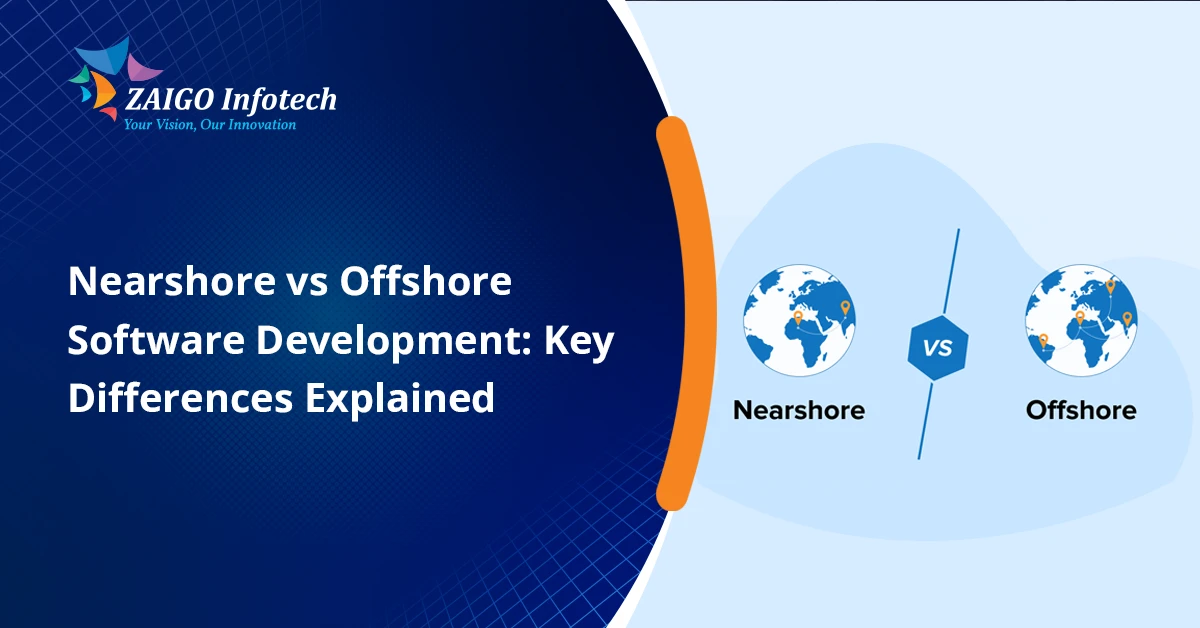
At present, worldwide software outsourcing is revolutionizing the way companies create digital products. But, most decision-makers are still concerned with one crucial question: nearshore vs offshore development, which strategy yields better results?

The reply is not as simple as finding the cheapest price option. Actually, aspects like communication, time zones, cultural compatibility, project difficulties, expansion, and business goals in the long term all have their effects on outsourcing success.

In 2026, organizations are increasingly using the strategic outsourcing models more and more for development acceleration, cost reduction, and getting specialised talents. By grasping the key differences between nearshore and offshore development, you will be able to make a better decision and optimize your ROI.

This guide explores the difference between nearshore and offshore, their pros and cons, and the cases when either one is most effective.

What Is Nearshore Development?

Nearshore software development means delegating software development tasks to developers who are in neighboring or nearby countries and have time zones very similar to our own.

For example:

  • A U.S. company outsourcing to Mexico or Colombia
  • A German company partnering with development teams in Poland
  • A company in Australia contracted with software engineers in New Zealand

The biggest gain of nearshoring is the closeness in location, which is a key driver for ease in collaboration and communication.

Benefits of Nearshore Software Development

Real-Time Collaboration

Where the business hours overlap, the team members can have contacts without difficulty, i.e., holding a meeting, giving a presentation, or discussing face to face become not only possible but very convenient.

Better Cultural Alignment

Similar business practices, communication styles, and work ethics reduce misunderstandings and improve teamwork.

Easier Travel Opportunities

As the distance from one country to the other is very short, it is quite possible and easy to have in-person meetings, workshops, project planning sessions, etc.

Faster Feedback Cycles

Since the team members are all in the same or very close time zones, any problems that come up can be resolved very quickly, and there is no need to wait till next morning for the answer.

What Is Offshore Development?

Offshoring means outsourcing a software project to a distant country that is generally in a different time zone.

Common offshore destinations include:

  • India
  • Philippines
  • Vietnam
  • Ukraine
  • Bangladesh

There are two reasons that companies opt for offshore development: they want to cut down their expenses, and they want to have access to a wide variety of technical talents.

Benefits of Offshore Development

Significant Cost Savings

Development rates are often substantially lower than local hiring costs.

Access to Global Talent

Organizations can access very specialized skills that may be very difficult or extremely costly to hire locally.

Rapid Team Scaling

Big offshore vendors have the capacity to rapidly enlarge team sizes to suit the needs of a project.

24/7 Development Potential

When time zone differences are correctly handled, they can make a 24-hour working cycle possible in development.

Nearshore vs Offshore Development: Key Differences Explained

Understanding the difference between nearshore and offshore models requires evaluating several important factors.

1. Geographic Distance

Nearshore

They are close enough for relatively quick and easy travel.

Offshore

Teams are based in distant regions, and it will often be necessary to fly internationally and make elaborate arrangements for logistics.

2. Time Zone Compatibility

The significant key difference between nearshore and offshore development, in our opinion, is time zone compatibility.

Nearshore

  • Similar working hours
  • Easier scheduling
  • Faster communication

Offshore

  • Limited overlap in business hours
  • Delayed responses
  • Greater need for asynchronous workflows

3. Communication Efficiency

Effective communication often determines project success.

Nearshore

Frequent real-time discussions improve collaboration and reduce misunderstandings.

Offshore

You will have to rely heavily on written communication and on well-designed workflows, as you will not always be able to communicate with your offshore partners at the same time.

Organizations that get the hang of Scrum events generally discover that it’s quite handy to handle distributed development teams, no matter where they operate.

4. Cost Structure

Cost remains one of the biggest factors influencing outsourcing decisions.

Nearshore

  • Moderate cost savings
  • Higher rates than offshore providers
  • Better collaboration advantages

Offshore

  • Maximum cost reduction
  • Larger talent availability
  • Potential management overhead

Companies should weigh savings against the need for communication and coordination.

5. Cultural Compatibility

Nearshore

Similar cultural norms often create smoother business relationships.

Offshore

You should expect different cultures, and so, in most cases, you need to develop new communication and onboarding approaches.

6. Talent Availability

Nearshore

Access to skilled professionals, but often within smaller talent pools.

Offshore

Very large talent pools with highly skilled professionals in different technology stacks.

Many companies prefer to hire dedicated developers by turning to offshore markets, not only because of the availability of high-quality engineers but also because offshore solutions come at a lower cost.

Nearshore vs Offshore Outsourcing: Which Is More Effective?

When choosing nearshore vs offshore development effectiveness, the decision is largely determined by the objectives of the project.

Nearshore Is More Effective When:

  • Collaboration is essential
  • Requirements evolve frequently
  • Agile methodologies are heavily used
  • Product teams require daily communication
  • Stakeholder involvement is high

Nearshore teams often excel in projects that depend on continuous feedback and rapid iteration.

Offshore Is More Effective When:

  • Cost reduction is the primary objective
  • Requirements are clearly documented
  • Long-term development resources are needed
  • Large-scale development teams are required
  • Specialized technical expertise is necessary

The decision of whether nearshore or offshore outsourcing is most effective rests on aligning the outsourcing model with business priorities.

Cost Comparison: Nearshore vs Offshore

While prices differ from region to region and based on the technology stack, in general, the trends are the same.

Factor Nearshore Development Offshore Development
Development Cost Medium Low
Communication Cost Low Medium
Travel Cost Low High
Management Overhead Low Medium-High
Collaboration Efficiency High Moderate
Talent Availability Moderate High

Businesses should consider total project costs rather than focusing exclusively on hourly rates.

Common Challenges of Nearshore Development

Although nearshore outsourcing can bring great benefits, it might not be without some issues.

Limited Talent Pool

There might be only a handful of specialists with the up-to-date skills within the target area.

Higher Rates

Mostly, nearshore developers are a bit more expensive than offshore teams.

Competition for Talent

As the demand for popular nearshore destinations surges, companies can find it difficult to recruit the right candidates.

Common Challenges of Offshore Development

Of course, outsourcing offshore has its own pros and cons.

Time Zone Delays

The work progress can be hindered by communication issues.

Cultural Differences

Expectations that are not in sync can negatively impact the cooperation.

Knowledge Transfer Issues

Complex projects require robust documentation and onboarding processes.

Quality Variability

Vendor selection becomes critical to maintaining project standards.

Using measurable agile metrics can help organizations monitor productivity, quality, and team performance across distributed environments.

How Agile and DevOps Influence Outsourcing Success

Modern software delivery increasingly relies on Agile and DevOps practices.

Companies that compare devops vs agile methods need to realize that the reason is that each of these methods supports the outsourcing models in different ways.

Agile makes easy collaboration, openness, and continuous development, whereas DevOps is about automation, quick deployment, and operational productivity.

Nearshore teams are commonly able to work better in Agile environments as they are in similar time zones. Offshore teams, then again, may produce results of a similar standard when there is a solid backing of strong DevOps standards and proper documentation.

Choosing the Right Model for Your Business

Think about these questions when choosing between nearshore and offshore outsourcing:

Is There a Need for You to Collaborate on a Daily Basis?

If yes, nearshore development may provide greater value.

Is Budget Your Top Priority?

If cost reduction is critical, offshore outsourcing often delivers better financial outcomes.

Do Changes in Requirements Occur Often?

Since nearshore offers proximity with communication, projects with flexible requirements can really make use of this advantage.

Are You Looking for Very Specific Skills?

One of the benefits of offshore outsourcing is access to many rare technical skill sets.

Is Long-Term Scalability Important?

Large offshore teams typically provide greater scalability options.

Those business who are going for digital transformation projects or who are interested in Legacy Software Modernization Services are usually the ones who utilize both nearshore and offshore resources to communicate efficiently and cut down on the costs at the same time.

Also, those companies that are going through the stage of testing a product idea may take the initial step of learning what is poc in software development and software development outsourcing strategies that will support them the best for future development.

Best Practices for Successful Outsourcing

It does not matter if you go for nearshore or offshore development. Success boils down to your implementation.

Establish Clear Communication Processes

Decide on the hierarchy of reporting, how frequently meetings should take place, and what tools will be used for collaboration.

Create Detailed Documentation

Extensive documentation not only cuts down on errors but also helps new people who join at a later stage of the project to quickly get up to speed.

Define Performance Metrics

Measure aspects such as quality, delivery time, output, and customer satisfaction.

Invest in Relationship Building

Good relationships will lead to higher levels of trust, better teamwork, and more desirable results that last over time.

Align Development Methodologies

Ensure internal teams and outsourcing partners follow compatible workflows and processes.

Conclusion

Choosing between nearshore vs offshore development is not a matter of finding a global winner. Instead, it is about deciding on the model that best fits your business goals.

The key differences between nearshore and offshore development primarily revolve around communication, cost, collaboration, cultural alignment, and talent access.

If real-time communication and quick agile adaptations are what your company is after, then going nearshore might be the best option. Yet, if cost-effectiveness, scalability, and a research pool of experts around the globe are your main concerns, then offshore development is typically the one that offers greater value.

All in all, a good grasp of the difference between offshore and nearshore outsourcing helps companies set up solid partnerships, minimize project risks, and accomplish better software development results in 2026 and onwards.

FAQs

What is the main difference between nearshore and offshore development?

It’s mainly about location. When you do nearshore outsourcing, you go to neighboring countries mostly with the same or similar time zones, whereas with offshore, you are working with a team located pretty far away in a country that has a big time difference from yours.

Which is cheaper: nearshore or offshore development?

Offshore development typically costs less because the hourly wages of the developers in offshore destinations are generally lower.

Is nearshore development better for Agile projects?

In fact. Because of the possibility of having real-time discussions and the working hours that partially overlap, nearshore development is usually a better fit for Agile projects.

How do I choose between nearshore and offshore outsourcing?

There are several factors to weigh, such as the money you can allocate, how you want to communicate, what kind of project it is, how much you want to scale, and whether you want to hire specialized talents.

Can companies use both nearshore and offshore teams?

Absolutely. A great number of businesses are turning to hybrid outsourcing, where they get the benefits of nearshore for collaboration, but at the same time, they enjoy the offshore cost advantages.

Offshore Software Development in 2026: The Smart Growth Strategy Companies Can’t Ignore

Today, businesses are continuously pressured to innovate at a faster pace, cut down on their development expenses, and get hold of a technical expert with specific skills. That’s why software offshore development is now one of the top choices for startups, small and medium-sized enterprises, and big companies when it comes to finding efficient and quick ways to scale

But while offshore outsourcing offers significant advantages, it also presents challenges that organizations must understand before choosing the right development model.

In this guide, we explain “what is offshore software development”, describe the primary phases of the offshore development process, analyze its perks and downsides, and provide helpful tips on managing offshore development teams in 2026.

What Is Offshore Software Development?

Offshore software development means engaging a software development firm or team that is physically apart from the client’s location, in most cases, a country with lower living costs, to perform tasks such as software design, development, testing, maintenance, or scaling.

Unlike in-house hiring, software offshoring enables enterprises to tap into worldwide talent pools while avoiding the expenses of assembling, orienting, and sustaining a local development team.

Quick Definition

Offshore development involves associating with software experts in foreign countries for the execution of development work so that corporations can get the most out of their investment while at the same time making use of highly skilled specialists.

For example:

  • A firm in the US is getting developers in India.
  • A startup based in the UK is outsourcing software engineers to Southeast Asia.
  • A European enterprise partnering with a software company in Latin America

Today, software offshore development extends beyond coding and includes:

  • Product strategy
  • UI/UX design
  • Web development
  • Mobile app development
  • Quality assurance
  • Cloud engineering
  • DevOps services
  • Ongoing maintenance and support

Why Is Software Offshore Development Growing in 2026?

Presently, the world’s shortage of talent is still a concern for companies everywhere. It is becoming a difficult task for companies to recruit capable developers locally at an affordable cost.

The reasons behind companies opting for software offshoring are:

  • Faster hiring cycles
  • Lower development costs
  • Access to global experts
  • Increased scalability
  • Round-the-clock productivity
  • Faster product releases

Also, improvements in collaboration tools, cloud computing infrastructure, and agile methods have made managing offshore development teams easier than ever before.

How Does Offshore Software Development Work?

Typically, the offshore development process involves a formalized method.

1. Specify Project Needs

Organizations begin by identifying:

  • Business goals
  • Technical requirements
  • Feature scope
  • Budget constraints
  • Delivery timelines

Clear, detailed project requirements provide a great way to promote mutual understanding and efficient collaboration, leading to successful project completions.

2. Select an Offshore Development Partner

Businesses evaluate potential vendors based on:

  • Technical expertise
  • Industry experience
  • Client reviews
  • Security practices
  • Communication capabilities

Generally, picking the right offshore partner is the main aspect determining the success of a project.

3. Build Offshore Development Teams

Depending on project needs, companies may hire:

  • Dedicated developers
  • Project-based teams
  • Extended development teams
  • Full offshore delivery centers

Effective offshore development teams typically include:

  • Project managers
  • Developers
  • QA engineers
  • Designers
  • DevOps specialists

4. Establish Communication Processes

One of the keys to the success of offshore development is quite dependent on the quality of communication.

Organizations commonly use:

  • Slack
  • Microsoft Teams
  • Jira
  • Trello
  • Zoom
  • Confluence

Clear reporting structures help minimize project risks.

5. Development and Testing

Teams follow agile methodologies to build and validate software iteratively.

If you are comparing different ways to conduct project management, understanding safe vs scrum, what is agile delivery, and different agile frameworks, it is likely to be quite helpful in deciding what would be the most productive method for distributed teams.

6. Deployment and Ongoing Support

Eventually, after the software has been coded and tested, it is set in motion and is continually being tracked, serviced, and upgraded as user responses are received.

Types of Offshore Development Models

According to their project characteristics, cost ceiling, and the number of personnel needed, companies can pick one of the many offshore operation models available to them.

Dedicated Offshore Team

A dedicated team works exclusively on your project.

Best for:

  • Long-term projects
  • Product development
  • Scaling internal teams

Project-Based Offshore Development

The offshore partner manages the entire project from planning to delivery.

Best for:

  • Fixed-scope projects
  • MVP development
  • Short-term initiatives

Staff Augmentation

External developers integrate directly with your internal team.

Best for:

  • Skill gaps
  • Temporary resource needs
  • Rapid scaling

Advantages of Offshore Software Development

Many companies adopt software offshore development because of the substantial business benefits it provides.

Significant Cost Savings

The major part of the advantages tied to offshore software development is lowering operating costs.

Businesses save on:

  • Salaries
  • Recruitment
  • Infrastructure
  • Employee benefits
  • Training expenses

Companies can often reduce development costs by 40–70% compared to local hiring.

Access to Global Talent

Organizations gain access to highly skilled professionals with expertise in:

  • AI and machine learning
  • Cloud computing
  • Cybersecurity
  • Mobile applications
  • Enterprise software

This wide spectrum of potential candidates makes it possible for companies to bypass difficulties in recruiting locally.

Faster Time-to-Market

Offshore development teams can accelerate product delivery by:

  • Scaling resources quickly
  • Working across multiple time zones
  • Running parallel development cycles

This enables businesses to launch products faster and gain competitive advantages.

Improved Scalability

As project requirements evolve, organizations can easily increase or decrease team size without lengthy hiring processes.

Focus on Core Business Activities

By outsourcing technical execution, leadership teams can focus on:

  • Business growth
  • Customer acquisition
  • Product strategy
  • Market expansion

Challenges of Offshore Software Development

Though, before changing to offshore software development, one should be well-versed with the advantages plus the challenges that come with the deal.

Communication Barriers

Language and communication differences are major causes of misunderstandings.

Mitigation strategies include:

  • Regular meetings
  • Clear documentation
  • Defined communication protocols

Time Zone Differences

A very long interval of time may mean a delay in decision-making if the tasks are not scheduled properly.

Many companies set shared working time to foster collaboration.

Cultural Differences

People have different working styles and capabilities in doing business.

Developing strong relationships and laying out clear procedures goes a long way in minimizing the sources of disagreement or conflict.

Security and Data Protection Concerns

Ensuring the safety of business data is vital.

Organizations should implement:

  • NDAs
  • Secure development practices
  • Access controls
  • Compliance requirements

Quality Management Challenges

Without proper oversight, software quality may suffer.

Businesses should establish:

  • Code review processes
  • Testing standards
  • Performance benchmarks
  • Quality assurance procedures

Offshore Development vs Nearshore Development

To make the right choice, several companies weigh the pros and cons of outsourcing to the offshore market versus nearshore alternatives.

Aspect Offshore Development Nearshore Development
Cost Greater cost savings Better time zone alignment
Talent Access Larger talent pool Easier collaboration
Location More geographic distance Closer cultural similarities
Communication Lower operating costs Faster communication

When companies want to outsource, they usually compare offshore development against nearshore software development to figure out which one will be more suitable for their needs.

Best Practices for Managing Offshore Development Teams

To get the highest level of success, companies need to adhere to some solid management techniques.

Establish Clear Goals

Define:

  • Deliverables
  • Milestones
  • KPIs
  • Deadlines

A clear goal helps in minimizing the likelihood of misunderstanding throughout the whole project.

Prioritize Documentation

Well-organized documentation is one of the key elements that help a distributed team to work in coherence.

Maintain:

  • Technical specifications
  • Product requirements
  • Architecture documents
  • User stories

Use Agile Methodologies

Agile frameworks improve visibility and adaptability.

If you are going to have teams experimenting with new ways of software development, you may also want to show them “what is adaptive software development” and how it can help them with requirements that are continuously changing.

Schedule Regular Check-Ins

Regular contact helps in preventing the buildup of unresolved issues.

Recommended cadence:

  • Daily standups
  • Weekly reviews
  • Monthly strategy meetings

Invest in Long-Term Relationships

The most successful offshore partnerships are built on trust, transparency, and continuous collaboration.

Offshore Web Development: A Growing Trend

Among the sectors of software offshore development, one of the segments that is expanding at the highest rate is offshore web development.

Digital transformation efforts are the biggest reason why companies are outsourcing web development work more and more.

Common offshore web development services include:

  • Custom web applications
  • Enterprise portals
  • SaaS platforms
  • E-commerce solutions
  • API integrations

Organizations seeking scalable digital platforms frequently leverage professional web application development services through offshore teams to improve efficiency and reduce costs.

Offshore Development for Mobile Applications

Due to their large-scale growth, mobile applications have become a big part driving the demand for offshore development resources.

Offshore teams commonly support:

  • Android development
  • iOS development
  • Cross-platform applications
  • Backend architecture
  • App maintenance

Launching various applications with different features is the main objective of numerous businesses that also want to outsource mobile app development services to cut down on costs.

When Should You Choose Software Offshoring?

Software offshoring is often the right choice when:

  • Development costs are exceeding the budget
  • Local talent is difficult to hire
  • Faster product delivery is required
  • Specialized expertise is unavailable internally
  • Scalability is a priority

This type of strategy works very well for startups that want to develop MVPs, big companies that are going through the process of digital transformation, and organizations that are entering new markets.

Before collaborating with offshore teams, early product planning based on a good understanding of POC vs prototype vs MVP can be instrumental in choosing the right development way.

Conclusion

Anticipating 2026, outsourcing software offshore development is still considered to be one of the most lucrative options available to companies aiming at benefits like cost reduction, high-level knowledge of technology, and swift expansion. Although difficulties like communication, time zone differences, and quality management must be addressed through careful planning, organizations that enforce strong processes and pick the right partners can enjoy huge long-term benefits.

When you are working on a web-based platform, a mobile app, or a corporate software system that is geared towards a digital innovation encounter. Collaborating with a proficient technology firm like Zaigo Infotech will contribute to morphing your concept into a well-scaled and high-speed software solution.

Frequently Asked Questions About Offshore Software Development

What is offshore software development?

Offshore software development refers to a company outsourcing the software design, development, testing, and maintenance work to another country.

What are the advantages of offshore software development?

Major benefits are cost savings, the capability to tap global talent, the ability to ramp up operations, and operational flexibility can be increased.

Is offshore development suitable for startups?

Definitely. It is not surprising that startups use offshore development as a way to reduce their budget requirements, get their product to launch quickly, and get access to technical expertise that may be difficult to find in their own country.

How do offshore development teams communicate effectively?

To report transparency and cordial alignment, teams rely on project management and collaboration tools like Jira, Slack, Microsoft Teams, Zoom, and Confluence.

Is offshore web development secure?

Of course, if development partners adhere to the right security measures and standards of compliance, as well as access controls and confidentiality agreements.

POC vs Prototype vs MVP: Key Differences Explained in 2026

Many good digital products don’t succeed simply because a company rushed to develop them. The most effective startups and enterprises test the waters, validate their concepts, and elicit user input before making a large investment.

It’s important to have a grasp of POC vs Prototype vs MVP to be able to pick the correct product validation approach at any point in the product development.

While these terms are frequently used interchangeably, their meanings in product development differ quite a bit, and leaning one way or another may cost a team dearly in terms of budget, schedule, and the finished product 

In this guide, we’ll take a simple look at the distinctions between a proof of concept (POC), prototype, and MVP, when to use each one, and how to pick the right route for your project.

What Is POC vs Prototype vs MVP?

The conversation around POC vs prototype vs MVP is centered on three phases of proving and creating a product idea:

  • Proof of Concept (POC): Determines whether an idea is technologically achievable.
  • Prototype: Demonstrates how an interface will function and what it will look like.
  • Minimum Viable Product (MVP): A working product with a fundamental set of features, which can be used by actual users. 

Each stage must be designed for each function and to help mitigate the various types of risks along the development pathway.

Why Understanding POC vs Prototype vs MVP Matters

Many businesses make the mistake of investing heavily in development before validating assumptions. By understanding the variation across approaches, organizations can:

  • Reduce development risks
  • Save time and budget
  • Validate technical feasibility
  • Improve user experience
  • Gather real-world feedback
  • Increase investor confidence

No matter whether it’s the founder of a start-up or managing a software product development company, understanding these concepts can significantly improve project outcomes.

What Is a Proof of Concept (POC)?

A Proof of Concept (POC) is the first step to understand if the idea can be truthfully implemented before making further investment.

The main aim of this is to identify whether the particular idea, technology, or solution is technically feasible.

Purpose of a POC

A POC answers questions such as:

  • Can this technology solve the problem?
  • Is the integration technically feasible?
  • Are there any major technical limitations?
  • Can the idea be implemented within budget and time constraints?

Characteristics of a POC

  • Built for internal stakeholders
  • Not intended for end users
  • Focuses on technical feasibility
  • Usually has minimal or no user interface
  • Conducted before the design and development phases

Example of a POC

Imagine a company that desires to make an email management tool based on AI. Developers can start with a basic test to figure out if AI is capable of categorizing emails correctly and even responding automatically before they rebuild.

This testing stage might be a proof of concept in software development (POC).

What Is a Prototype?

Establishing technical feasibility is done, and then, typically, a prototype is built.

A prototype displays what the product will be like visually so that users can roll their fingers over it and work with it.

Purpose of a Prototype

A prototype helps answer questions like:

  • What will the user experience look like?
  • How will users interact with the product?
  • Does the workflow make sense?
  • Can stakeholders visualize the final solution?

Characteristics of a Prototype

  • Focuses on design and usability
  • May include clickable screens
  • Not fully functional
  • Used for user testing and stakeholder presentations
  • Helps refine product requirements

Example of a Prototype

Imagine developing an AI-powered inbox assistant. After validating the technology through a POC, designers may create clickable screens showing how users can organize emails, automate workflows, and configure settings.

A feature demonstrating how to use an AI agent to sort emails could be simulated within the prototype without actual backend functionality.

What Is an MVP?

Overall, a minimum viable product (MVP) is a production-ready version that only contains the features necessary to satisfy the product’s goal.

Unlike a POC or prototype, an MVP is real-life user-facing.

Purpose of an MVP

The MVP aims to:

  • Validate market demand
  • Gather user feedback
  • Test business assumptions
  • Generate early revenue
  • Reduce launch risks

Characteristics of an MVP

  • Fully functional product
  • Contains core features only
  • Released to actual users
  • Built for learning and iteration
  • Supports future enhancements

Many startups collaborate with experienced MVP development companies to accelerate MVP creation and market validation.

POC vs MVP

The comparison of POC vs MVP is one of the most common questions among startup founders.

Aspect POC MVP
Purpose Validate feasibility Validate market demand
Audience Internal stakeholders Real users
Functionality Limited Functional product
Revenue Potential None Possible
User Feedback Minimal Extensive
Development Stage Early Later

Simply put, POC shows the idea is possible, and MVP proves the desire of the users.

Proof of Concept vs Prototype

People get confused in the proof of concept vs prototype debate because they are both tools to validate ideas at the early stage.

But they have totally different points of focus.

Aspect Proof of Concept Prototype
Focus Technical feasibility User experience
Functionality Minimal Simulated interactions
Audience Internal teams Stakeholders and testers
Design Importance Low High
User Testing Rare Common

A proof of concept (POC) will tell you if your idea is technically possible. However, a prototype will show you the future product’s look and user interaction.

Difference Between MVP and Prototype

Knowing the difference between MVP and prototype is very important before you spend on the development.

Prototype

  • Visual representation
  • Often non-functional
  • Used for feedback and design validation
  • Lower development cost

MVP

  • Working product
  • Real users interact with it
  • Used for market validation
  • Higher development investment

A prototype helps refine the concept, whereas an MVP helps validate business viability.

MVP vs Prototype vs POC: Side-by-Side Comparison

The following table summarizes the differences between mvp vs prototype vs poc.

Feature POC Prototype MVP
Goal Feasibility Testing Design Validation Market Validation
Functional Product No Usually No Yes
User Interface Minimal Extensive Complete
End Users Involved No Sometimes Yes
Revenue Generation No No Possible
Development Cost Low Medium Higher
Feedback Type Technical Usability Market

When Should You Use a POC?

A poc prototype approach begins with a POC when:

  • You are using emerging technology
  • Technical risks are high
  • Integrations are complex
  • Stakeholders need technical validation
  • Significant investment is required

POCs are particularly valuable for AI, blockchain, machine learning, and enterprise software projects.

When Should You Use a Prototype?

Choose a prototype when:

  • User experience is critical
  • Stakeholders need visual demonstrations
  • You need usability testing
  • Design decisions require validation
  • Product requirements are evolving

Many organizations working with bespoke software companies use prototypes to align business goals with user expectations before development begins.

When Should You Build an MVP?

An MVP is the right choice when:

  • Core functionality is defined
  • Technical feasibility has been validated
  • Market demand needs verification
  • You want early user feedback
  • Investors require traction metrics

Professional MVP development services generally emphasize building lean MVPs that provide value fast and at the same time keep the development costs to a minimum.

Common Mistakes Businesses Make

Skipping Validation

Many teams move directly to development without conducting a POC or prototype phase.

Building Too Many Features

Creating a feature-rich product rather than focusing on the main functionality is one of the major mistakes you can commit as an MVP developer.

Ignoring User Feedback

One of the main foundations of a well-functioning MVP is to continue modifying it based on real user feedback.

Choosing the Wrong Stage

Using an MVP when technical feasibility is uncertain can lead to expensive failures. Similarly, relying solely on a prototype when market validation is required may delay learning.

How Nearshore Teams Can Support Product Validation

Today, more and more companies are utilizing distributed development teams to speed up the production of new products.

If you’re wondering what is nearshore software development, you’ll discover that nearshore teams are capable of assisting companies in the production of POCs, prototypes, and MVPs very efficiently, the teams communicate well, and the costs are kept low.

In the same way, good software development management will make sure that the validation changes are in line with the business aims and customer requirements throughout the product lifecycle.

Conclusion

Understanding poc vs prototype vs mvp is key to making the right product development decision. Although all three are risk reduction methods, each one of them is suitable for a different point on the innovation path.

POC proves technical feasibility. Prototype proves user experience and design assumptions. MVP proves actual market demand and gives you client feedback that you can act on.

When a business selects the right method at the right time, it can avoid unnecessary costs, make a better product, and speed up the time to market. Even if you engage with a software product development company or decide to build an in-house team, understanding the differences between poc mvp, prototypes, and MVPs can greatly boost your chances of achieving success in 2026 and later.

Frequently Asked Questions (FAQs)

What is the main difference between POC and MVP?

A POC is a ticket that tells the world the idea you have can be implemented, and MVP, however, is a tool that helps you to understand if the market values your product and if customers will use it.

Is a prototype necessary before an MVP?

Not necessarily, although a prototype is most likely to involve users more and lead to a more effective design that lessens any risk related to design, before development.

Can a POC become an MVP?

Generally speaking, the answer is no. Because a POC is an experimentation tool and an MVP is a product with a production-ready architecture, user-friendly functionality, etc.

Which is cheaper: POC, Prototype, or MVP?

In most cases, the least costly is a POC, with the next being a prototype. Since an MVP is a working product, it usually takes a big budget.

Should startups build a POC first?

If the product depends on new or complicated technology, doing a POC is often the best course of action before one can think of a prototype or an MVP.