SDLC vs STLC in 2026: The Complete Guide to Understanding the Key Differences

Building software is not simply writing programs; it involves many other phases. Each software application has its step-by-step stages and life cycle that help to determine the quality of the final product. Two of the most significant are SDLC vs STLC. In reality, they overlap but support different areas of the project.

If you are confused about the difference between SDLC and STLC, you are not alone. Software developers, testers, project managers, even business owners have difficulty distinguishing between the software development life cycle and the software testing life cycle.

Clarifying the correlation between the two life cycles enables teams to develop high-quality software more rapidly with reduced expensive defects.

This guide will help you understand SDLC and STLC; their phases, key differences and similarities, benefits of each process, and when each process occurs.

What Is SDLC?

SDLC (Software Development Life Cycle): The life cycle emphasizes how to effectively develop software through different stages, including designing, developing, testing, and implementing software applications. It provides a structured approach that helps development teams deliver software efficiently while meeting customer requirements.

In other words, SDLC prevents the development process from rushing into the coding stage; SDLC ensures every phase is carefully planned and executed.

Phases of SDLC

1. Requirement Analysis

First, the project gathers the business and technical requirements from key stakeholders.

Activities include:

  • Understanding user needs
  • Defining project scope
  • Identifying constraints
  • Creating requirement documentation

2. Planning

Project managers estimate:

  • Budget
  • Timeline
  • Resources
  • Risks
  • Development methodology

This stage determines whether the project is feasible.

3. Design

Architects prepare the software blueprint.

This includes:

  • Database design
  • UI/UX planning
  • System architecture
  • API design
  • Technology stack selection

Organizations tend to go for software architecture consulting during this stage for scalable and future-oriented system designs.

4. Development

Developers start implementing code based on the approved design.

Tasks include:

  • Backend development
  • Frontend development
  • Database implementation
  • API integration

5. Testing

After the development phase, the application goes into software testing to check that the requirements have been satisfied and bugs are pinpointed before the release.

6. Deployment

The software is released into production.

Deployment strategies may include:

  • Blue-green deployment
  • Rolling deployment
  • Canary release

7. Maintenance

After launch, developers continue to:

  • Fix bugs
  • Improve performance
  • Release updates
  • Add new features

What Is STLC?

The software testing life cycle (STLC) will be used by QA engineers as a process for testing a software product to make sure its functioning is of an acceptable standard. Although the software development life cycle (SDLC) is mainly used for creating software, the software testing lifecycle is mostly focused on confirming that the software behaves in the way it was intended, as per specs.

The software testing life cycle guarantees each feature is fully tested before its release.

Phases of STLC

Requirement Analysis

Testers analyze business requirements to understand:

  • Functional requirements
  • Non-functional requirements
  • Testability
  • Risks

Test Planning

QA managers prepare:

  • Test strategy
  • Resource allocation
  • Test schedule
  • Risk assessment

Test Case Development

Test engineers create:

  • Test cases
  • Test scenarios
  • Test scripts
  • Test data

Environment Setup

The testing environment is configured to match production as closely as possible.

This includes:

  • Servers
  • Databases
  • Devices
  • Browsers
  • APIs

Test Execution

Testers execute:

  • Functional tests
  • Regression tests
  • Integration tests
  • Performance tests
  • Security tests

Any defects found are logged and tracked.

Defect Reporting & Retesting

Developers resolve the problems found, and testers check these solutions, retest, and then perform regression testing to check that nothing else broke down.

Test Closure

The QA team prepares:

  • Test summary reports
  • Defect reports
  • Lessons learned
  • Quality metrics

SDLC vs STLC: Major Differences

Parameter SDLC STLC
Full Form Software Development Life Cycle Software Testing Life Cycle
Primary Goal Develop software Test software quality
Focus Product development Quality assurance
Starts With Requirement gathering Requirement analysis for testing
Ends With Software maintenance Test closure
Performed By Developers, Architects, Business Analysts QA Engineers, Test Leads
Deliverables Software product Test reports
Objective Build software Validate software
Scope Entire development process Testing activities only
Outcome Functional application Verified and validated software

SDLC and STLC: How They Work Together

Many beginners compare SDLC and STLC as separate processes. Actually, they have a mutual relationship in the total software life-cycle and coexist.

For example:

  • Requirements gathered in SDLC are ‘converted’ into testing requirements in STLC.
  • Software design helps QA teams prepare test scenarios.
  • Development creates the application.
  • STLC verifies every developed feature.
  • Bug reports from STLC return to SDLC developers for fixes.

Without STLC, SDLC may produce software with hidden defects. Without SDLC, there would be nothing to test.

Difference Between SDLC and STLC Explained with an Example

Imagine a company developing an online shopping application.

During SDLC

Developers:

  • Gather customer requirements
  • Design the application
  • Build login functionality
  • Create shopping cart
  • Integrate payment gateway

During STLC

QA engineers:

  • Test login
  • Validate payment security
  • Verify order placement
  • Test shopping cart behavior
  • Check mobile responsiveness

Briefly, SDLC develops products, and STLC checks the product’s quality

Relationship Between the Software Development Life Cycle and Software Testing Life Cycle

Both the software development life cycle and software testing life cycle are almost like twin sisters as they develop and deliver together, side by side.

Each SDLC phase has corresponding STLC activities.

SDLC Phase STLC Activity
Requirement Analysis Requirement Analysis
Design Test Planning
Development Test Case Design
Coding Complete Environment Setup
Testing Test Execution
Deployment Test Closure

This alignment enables the teams to find flaws at the initial stages, and this way it leads to the cutting down of the development expenses, and the overall product quality is improved.

Why Both SDLC and STLC Matter in Agile Development

Most software companies are changing to the Agile SDLC approach because it allows the release of software in shorter intervals. When it comes to traditional methods, Agile is a better choice since it does not wait for the development of a product to be entirely complete before it runs tests on it. Instead, testing becomes an integral part of each sprint cycle.

Benefits include:

  • Faster releases
  • Continuous testing
  • Early bug detection
  • Improved collaboration
  • Higher software quality
  • Faster customer feedback

As development and testing happen in parallel, both the SDLC and STLC are no longer step-by-step sequential processes but are rather running all the times continuously.

Common Misconceptions About SDLC vs STLC

“Testing Starts Only After Development”

Not true.

Modern QA teams participate during requirement analysis itself to identify risks and improve requirement quality.

“STLC Is Part of SDLC”

This is partially correct.

Testing is one phase of the SDLC, but STLC itself is an independent life cycle with its own planning, execution, reporting, and closure activities.

“Only QA Engineers Follow STLC”

Developers, DevOps engineers, automation engineers, and business analysts are also involved in effective testing at various levels of the project life cycle.

Best Practices for Managing SDLC and STLC

For ensuring a good quality software product, organizations must:

  • Define clear project requirements.
  • Involve QA teams early in development.
  • Automate repetitive testing tasks.
  • Maintain traceability between requirements and test cases.
  • Integrate testing into CI/CD pipelines.
  • Use defect tracking tools effectively.
  • Conduct regular code reviews.
  • Continuously improve development and testing processes.

Following these practices helps reduce project risks while improving collaboration between development and QA teams.

The Future of SDLC and STLC

At this pace of things, both development and testing are changing through innovative technologies. AI (artificial intelligence), predictive analytics, and automation are not only reducing the time required for software delivery but also improving the reliability of what the teams are putting into production. The use of automated defect prediction algorithms, AI-assisted software coding, and autonomous testing is revolutionizing the work done by the various development and testing teams.

As organizations explore how AI agents will change research, they are also discovering how AI can streamline requirement analysis, automate test creation, prioritize defects, and accelerate release cycles.

Then again, the developers still have to address many platform-related issues like: why software development on Android is so hard, where the problem is in device compatibility, OS differences, and hardware variants that need thorough development & testing approaches.

Conclusion

If you are a part of any type of software project, then knowing SDLC vs STLC is important. While SDLC directs the design, building, and support of new applications, STLC makes sure each feature is covered before it reaches the users. These two approaches underpin the software development industry, enabling teams to reduce defects, improve collaboration, and deliver reliable digital products.

No matter if you are adopting Agile, bringing AI into your development processes, or managing enterprise-scale applications, blending best-practice development and testing processes is how you will survive long-term. If you are to find a reliable partner in data-driven applications, Zaigo Infotech is a reliable web design and development company you can trust for providing innovative software development, testing, and digital transformation solutions.

Frequently Asked Questions

Which comes first, SDLC or STLC?

SDLC initiates first because the software needs to be planned and developed before it can be tested. Yet, STLC activities like requirement analysis, test planning, etc. can be initiated in the early phase of SDLC.

Is STLC part of SDLC?

Testing is one phase within SDLC, but STLC is a complete testing life cycle with its own structured phases and deliverables.

Why is STLC important?

Using STLC results in identifying defects early, enhanced quality, decreased production defects, and ensures that the application satisfies the business needs.

Can Agile use both SDLC and STLC?

Yes. Agile approaches combine development with testing within each sprint; Because of this, the SDLC and STLC occur simultaneously.

Which is more important: SDLC or STLC?

The SDLC is very important to find out whether the software is built correctly or not, and the STLC is very important to find out whether it is working correctly or not.

Software Testing Life Cycle in 2026: 7 Essential Phases, Benefits & Workflow Explained

Crafting quality software involves more than just coding; a structured testing approach is also vital for verifying that each feature of the software works exactly as it should. The software testing life cycle (STLC) is a structured planning, executing, and managing of testing activities for a project. Following the testing life cycle can be beneficial whether you are rolling out an MVP, a SaaS product, or even enterprise software, with early defect detection, saving development costs, and achieving better product quality.

Learning not only “what is STLC”, but also the testing phases in software testing, and the complete workflow enables teams to deliver trustworthy software with peace of mind that they do not introduce new bugs. In this guide, we’ll explore the software testing life cycle, its phases, advantages, procedures, and best practices related to getting software ready in 2026.

Whether it’s a launch of your product as a startup or working with a custom software development company, making use of the software testing life cycle (STLC) will be the way to go to have a solid and secure product.

What Is Software Testing Life Cycle (STLC)?

The Software Testing Life Cycle (STLC) is a systematic series of tasks, starting with the understanding of the requirements until the end of the testing lifecycle. It aims at testing the product systematically so that QA teams can verify software quality pre-production.

What is STLC? You can look at it as a map that leads QA engineers along the way, testing without deviations of scope and while ensuring consistency, traceability, and that the same standards of quality are all met.

Unlike software development, which focuses on building features, the testing life cycle focuses on proving that a product is safe, works properly, and offers good performance.

Objectives of STLC

The primary objectives of the software testing life cycle include:

  • Detect defects early in development
  • Verify business and technical requirements
  • Improve software reliability
  • Reduce project risks
  • Deliver high-quality software faster
  • Enhance customer satisfaction

The sw testing life cycle is widely used by companies following agile, DevOps, waterfall, and even a combination of these software development approaches.

Why Is the Software Testing Life Cycle Important?

STLC is a repeatable process that improves software quality A lot. Through this systematic testing of software quality at different stages, not only are bugs identified and resolved, but also collaboration among developers, testers, and stakeholders is made more efficient than with just ad hoc testing.

Key benefits include:

  • Improved software quality
  • Early defect detection
  • Better requirement coverage
  • Faster release cycles
  • Lower maintenance costs
  • Reduced business risks
  • Greater customer confidence

Without a structured testing life cycle, software projects often experience inconsistent testing, missed defects, and costly post-release fixes.

An effective software testing workflow can be a huge advantage for companies cooperating with an enterprise software development company, because it results in testing being done in a standardised way, which helps cooperation, minimizes defects, and leads to quicker releases of the software.

7 Phases of Software Testing Life Cycle

Every successful software testing life cycle follows a sequence of carefully planned stages. As a rule, each phase has a clear purpose, activities to get the deliverables, and the way it gets integrated with other phases that finally result in the overall quality of software.

1. Requirement Analysis

Requirement analysis is a stage of the software testing life cycle in which functional and non-functional requirements have to be analyzed to discover what the tests should focus on, to spot the major potential difficulties, and to figure out what sort of testing methods could be the best.

The team evaluates:

  • Business requirements
  • Technical specifications
  • Testable features
  • Project scope
  • Possible risks
  • Automation feasibility

Any ambiguities are discussed with stakeholders before testing begins.

Deliverables

  • Requirement Analysis Report
  • Requirement Traceability Matrix (RTM)
  • Test feasibility assessment

To better understand the foundation of quality assurance, read our guide on what is software testing.

2. Test Planning

After analyzing requirements, the QA team develops a comprehensive testing strategy.

This phase defines:

  • Testing objectives
  • Scope of testing
  • Resource allocation
  • Budget estimation
  • Testing schedule
  • Entry and exit criteria
  • Testing tools

A detailed test plan ensures that every testing activity follows a consistent process throughout the testing life cycle.

Deliverables

  • Test Plan
  • Test Strategy
  • Resource Plan
  • Risk Assessment

3. Test Case Development

During this stage, testers design detailed test cases based on project requirements.

Each test case includes:

  • Test scenario
  • Preconditions
  • Test steps
  • Expected outcome
  • Actual result
  • Pass or Fail status

Test data is also prepared, and automation scripts may be created for repetitive scenarios.

Well-designed test cases significantly improve the effectiveness of the software testing life cycle.

Deliverables

  • Test Cases
  • Test Scripts
  • Test Data
  • Automated Test Scripts

4. Test Environment Setup

Before execution begins, the testing environment must closely resemble the production environment.

This setup typically includes:

  • Application servers
  • Databases
  • Browsers
  • Mobile devices
  • Operating systems
  • APIs
  • Network configurations

QA teams typically run smoke tests to verify the environment is ready and functioning properly before starting test execution.

Deliverables

  • Configured Test Environment
  • Smoke Test Results
  • Environment Validation Report

5. Test Execution

This is the core phase of the software testing life cycle, where QA engineers execute prepared test cases and compare actual results against expected outcomes.

Whenever issues are discovered:

  • Defects are logged
  • Severity levels are assigned
  • Developers resolve the defects
  • QA performs retesting
  • Regression testing ensures previously validated features continue to work correctly after new changes or bug fixes.

Among all test stages in software testing, execution requires the most collaboration between developers and testers.

Deliverables

  • Test Execution Report
  • Defect Reports
  • Updated RTM
  • Bug Tracking Reports

Applications that require high speed and scalability should also undergo performance validation. Learn more about what is software performance testing to understand how performance testing complements functional verification.

6. Defect Reporting and Retesting

After developers fix reported issues, QA engineers verify every correction to ensure the defects have been resolved successfully.

This phase includes:

  • Defect verification
  • Retesting
  • Regression testing
  • Impact analysis
  • Defect status updates

When it’s done right, defect management becomes a process that makes software robust and keeps bugs away from the production environment.

7. Test Cycle Closure

The final stage evaluates the overall effectiveness of the testing process.

QA teams review:

  • Test coverage
  • Defect density
  • Test execution metrics
  • Requirement coverage
  • Lessons learned
  • Overall software quality

The report can be a good help in the improvement of testing in further releases and a clear presentation of when and to what extent the product is finished from the viewpoint of stakeholders.

Deliverables

  • Test Summary Report
  • Test Closure Report
  • Quality Metrics
  • Improvement Recommendations

Software Testing Life Cycle Workflow

The complete software testing life cycle follows this workflow:

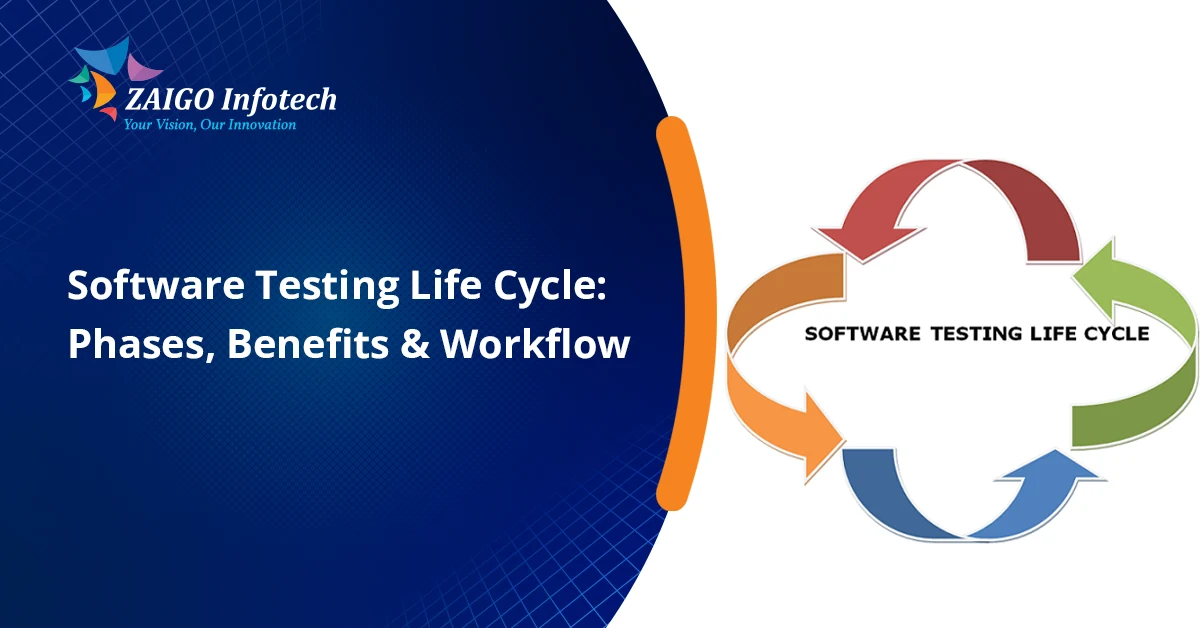
Requirement Analysis → Test Planning → Test Case Development → Test Environment Setup → Test Execution → Defect Reporting & Retesting → Test Cycle Closure

In Agile projects, the work cycle is repeated every sprint, thereby helping teams deliver a stream of improvements while keeping the software running perfectly

STLC Deliverables at Every Stage

STLC Phase Key Deliverables
Requirement Analysis RTM, Requirement Analysis Report
Test Planning Test Plan, Test Strategy
Test Case Development Test Cases, Test Scripts, Test Data
Test Environment Setup Configured Test Environment
Test Execution Test Execution Report, Defect Logs
Defect Retesting Verified Defect Reports
Test Cycle Closure Test Summary Report, Test Closure Report

Benefits of the Software Testing Life Cycle

A structured software testing lifecycle will not only be helpful for software quality improvement, but it will also allow development risks to be brought to a minimum and lower long-term maintenance costs.

Higher Software Quality

STLC ensures every feature is validated against business and technical requirements, resulting in more reliable applications.

Early Defect Detection

Discovery of bugs in the software during the development phase is much quicker and cheaper compared to fixing the bugs after the product has been released.

Faster Release Cycles

Efficient testing helps eliminate bottlenecks and lets the team roll out a feature confidently and quickly.

Better Requirement Coverage

All requirements are converted into test cases, This way avoiding the chance that some essential functionality will be missing.

Reduced Development Costs

Early testing lowers rework costs and prevents expensive production issues.

Improved Team Collaboration

Developers, testers, and stakeholders stay aligned through documented processes and regular communication.

STLC vs SDLC: What’s the Difference?

The Software Testing Life Cycle (STLC) and the Software Development Life Cycle (SDLC), although they are interrelated in nature, their objectives still differ.

SDLC STLC
Focuses on software development Focuses on software testing
Covers planning, design, coding, deployment, and maintenance Covers all software testing activities
Primarily managed by developers Primarily managed by QA teams
Produces the software product Validates the quality of the software
Ensures successful development Ensures successful verification and validation

Together, SDLC and STLC contribute to the delivery of trustworthy software packages of high quality.

Best Practices for an Effective Software Testing Life Cycle

If you follow best practices, you probably will have great improvements in the efficiency and effectiveness of the software testing lifecycle.

Start Testing Early

Testing done during the development stage will result in early detection of bugs, reducing overall project costs.

Maintain Complete Traceability

Use a Requirement Traceability Matrix (RTM) to ensure every requirement is tested.

Automate Repetitive Tests

Automating regression and repetitive test cases saves time and improves consistency.

Prioritize High-Risk Features

Focus testing efforts on business-critical modules that could have the greatest impact if they fail.

Update Test Cases Regularly

Applications are not static because of this, after a certain time, requirements may change. Because of this, test cases that were written earlier should still be applicable or at least should be reworked.

Monitor Testing Metrics

Track metrics such as test coverage, defect leakage, execution rate, and defect density to improve future testing cycles.

Common Challenges in STLC

Despite its structured approach, the testing life cycle can present several challenges if not managed effectively.

Some common issues include:

  • Frequently changing project requirements
  • Incomplete or unclear documentation
  • Limited testing environments
  • Tight delivery schedules
  • Communication gaps between teams
  • Insufficient test coverage
  • Resource limitations

You can make use of Agile practices, do a lot of continuous testing, and rely on various automation tools to effectively handle those issues.

Functional vs Non-Functional Testing in STLC

Both functional and non-functional testing have their role to play in making sure that the software conforms to the business and technical requirements.

Functional Testing

Functional testing checks whether all the software functions match their specifications and requirements.

Examples include:

  • User login
  • Registration process
  • Payment functionality
  • Search features
  • Form validation

Non-Functional Testing

Non-functional testing evaluates quality attributes that influence the overall user experience.

These include:

  • Performance
  • Security
  • Scalability
  • Reliability
  • Usability
  • Compatibility

Finding out how to perform different types of testing in software development is a great step to build software not only functional but also dependable.

How STLC Supports Agile and DevOps

Continuous testing is a big part of today’s Agile and DevOps environments.

Whereas traditionally testing was carried out solely at the end of development, nowadays QA teams run testing phases in software testing at every sprint and development cycle.

This approach provides several advantages:

  • Faster feedback on new features
  • Continuous integration and delivery
  • Early bug detection
  • Frequent software releases
  • Better collaboration between development and QA teams
  • Improved product quality

If STLC and Agile/DevOps processes are integrated, companies will be able to deploy products in a quicker time without compromising reliability.

Teams offering MVP development services often integrate STLC into each sprint so that the new features can be validated fast, user feedback can be collected, and product releases can be accelerated without negatively affecting the quality.

Conclusion

Software testing life cycle implemented effectively is a necessity for software production teams to produce defect-free, safe from vulnerabilities, and fast software. By performing the different phases like requirement analysis, test planning, test case design, actual testing and evaluation of results, and finally closing the test activities, companies can locate the issues in early stages, save development expense, and also enhance overall product quality. No matter if you are developing a simple application or a complex enterprise solution, following a standard STLC process will give you constant testing, a faster rollout cycle, and happier customers. 

Our company, Zaigo Infotech, has development approaches which are proven and testing practices to build robust, quality software that meets ever-evolving business needs.

What Is Non-Functional Testing? The Complete 2026 Guide Every Software Team Should Read

Today, judging software quality mainly based on whether an application works is not enough. Users want apps to load instantly, to stay secure, scale with huge traffic, and provide smooth experiences across all devices. That is why non-functional testing is the key element that makes sure software’s overall quality is top-notch.

Functional tests check features, whereas non-functional testing guarantees feature reliability when faced with real-life situations. Mastering what is non-functional testing when you work on enterprise apps, SaaS products, or even mobile devices is key to producing trustworthy software. This guide explores non-functional testing in software testing, its types, advantages, how it differs from functional testing, as well as other related topics.

What Is Non-Functional Testing?

Non-functional testing is a form of software testing that looks at factors other than functional aspects of a product, like performance or usability. It does not test if the function does what it is supposed to but finds out how the software reacts when exposed to different conditions.

For example:

  • Does the application respond quickly?
  • Can it support thousands of simultaneous users?
  • Is user data secure?
  • Does it recover after unexpected failures?
  • Is using the software across different devices a straightforward thing?

In simple terms, non-functional software testing is first and foremost concerned with the performance, security, reliability, scalability, usability, compatibility, and maintainability of the system.

Poor user experience or unstable system features can cause even a feature-rich app to fail if proper non-functional testing isn’t done.

Why Is Non-Functional Testing Important?

Modern users are extremely impatient if websites and apps don’t quickly deliver results. Research over many years keeps revealing to companies that people desert their websites and mobile apps when either performance or availability falls short of their expectations.

Non-functional testing allows businesses to:

  • Enhance customer satisfaction
  • Minimize service interruptions
  • Identify performance bottlenecks
  • Enhance cybersecurity
  • Ensure application stability
  • Support future scalability
  • Lower maintenance costs

It transforms software from simply “working” into performing exceptionally well in production.

A reliable web application development company includes non-functional testing to create websites that work fast, are secure, and can scale up quickly.

Functional vs Non-Functional Testing

One of the most common questions developers ask is about functional vs non-functional testing.

Aspect Functional Testing Non-Functional Testing
Purpose Verifies application functionality Evaluates application quality attributes
Focus Checks business requirements Checks performance, security, reliability, and usability
Question Answered Does it work? How well does it work?
Approach Feature-oriented System-oriented
Execution Stage Executed before release and during regression Performed throughout development and before deployment
Examples Login, Registration, Checkout Load Testing, Security Testing, Stress Testing

Both testing approaches complement each other. A successful software product requires both.

When a person lacks a solid grasp of the basics, it is very useful to have a solid foundation of what is software testing by reading about it first, before going deep into testing methods.

How Non-Functional Testing Works

The testing process generally follows several structured phases.

Requirement Analysis

Teams identify non-functional requirements such as:

  • Maximum response time
  • Concurrent users
  • Expected uptime
  • Security standards
  • Browser compatibility

Test Planning

QA engineers determine:

  • Testing objectives
  • Tools
  • Environment
  • Success criteria
  • Test scenarios

Test Environment Setup

The production environment is simulated as closely as possible to obtain accurate results.

Test Execution

Different non-functional testing types are executed using automation tools and monitoring platforms.

Result Analysis

Engineers analyze metrics including:

  • CPU usage
  • Memory utilization
  • Throughput
  • Response times
  • Error rates

Optimization

Developers fix identified bottlenecks before re-testing the application.

Non-Functional Testing Types

There are several non-functional testing types, each focusing on a specific quality attribute.

Performance Testing

Performance testing is concerned with testing the reaction to loads that may come up. It is mainly concerned with evaluating how well a system responds to certain workloads.

It measures:

  • Response time
  • Throughput
  • Resource utilization
  • Network latency

Many organizations perform dedicated software performance testing to locate the problem sources and fix software before putting it up on the market.

Load Testing

By Load testing, the performance of the application under user traffic is examined.

Example:

Checking the website with online sales by 10,000 users at the same time.

Stress Testing

Stress testing is a form of testing that subjects the system and the environment to conditions beyond the normal limits to see at what point or what level the system will begin to fail.

It answers:

  • How much load can the application handle?
  • Does it recover after failure?

Scalability Testing

Scalability testing is done to check if an application can grow with the number of users and/or transactions very smoothly.

It measures:

  • Database scaling
  • Server capacity
  • Cloud resource allocation

Security Testing

Security testing helps in finding vulnerabilities in the system that may otherwise be exploited by intruders or hackers. 

Security testing includes various types of checks like:

  • Authentication
  • Authorization
  • Encryption
  • SQL Injection
  • Cross-Site Scripting (XSS)

Usability Testing

Usability testing is done to ensure that the software is easy to use by the end users.

It evaluates:

  • Navigation
  • Accessibility
  • Interface design
  • Ease of learning
  • User satisfaction

Compatibility Testing

Compatibility testing ensures software works across different:

  • Browsers
  • Operating systems
  • Devices
  • Screen sizes
  • Hardware configurations

Reliability Testing

Reliability testing determines if an application or part of it can run without a breakdown for a long time.

It focuses on:

  • Stability
  • Error recovery
  • Availability
  • Mean Time Between Failures (MTBF)

Recovery Testing

Recovery testing determines how quickly applications recover after:

  • Server crashes
  • Network failures
  • Hardware issues
  • Database corruption

Maintainability Testing

Maintainability testing evaluates how easily developers can:

  • Modify code
  • Deploy updates
  • Fix bugs
  • Improve functionality

These non-functional testing types are an important part of the broader types of testing in software development, helping ensure overall software quality. 

Non-Functional Testing in the Software Testing Lifecycle

Non-functional testing in software testing is not the same as the final check before delivery. 

Rather, they are integrated by modern teams of Agile or DevOps at different moments of the Software Development Life Cycle (SDLC).

Typical stages include:

During Planning

Teams define measurable performance and security requirements.

During Development

Developers execute automated tests continuously within CI/CD pipelines.

During Integration

Applications undergo performance, compatibility, and scalability validation.

Before Production

Complete system-level non-functional testing ensures production readiness.

Benefits of Non-Functional Software Testing

Organizations gain numerous long-term advantages.

Superior User Experience

Solutions that operate seamlessly and are robustly built will result in customer loyalty and satisfaction that is much greater.

Improved Reliability

Applications can remain up throughout periods of peak traffic.

Enhanced Security

Security vulnerabilities are identified before deployment.

Lower Operational Costs

Detection of the problem early on prevents expensive failure of production.

Increased Customer Trust

Products with high stability will give customers more trust that the business is trustworthy.

Easier Scalability

Businesses can confidently carry out growth in the face of their needs.

Popular Tools Used for Non-Functional Testing

Several industry-standard tools simplify testing processes.

Testing Area Popular Tools
Performance JMeter, LoadRunner, Gatling
Security OWASP ZAP, Burp Suite
Load Testing BlazeMeter, Locust
Compatibility BrowserStack, LambdaTest
Monitoring Grafana, Prometheus, New Relic
Automation Selenium, Playwright

The right combination depends on project size, technology stack, and testing goals.

Best Practices for Non-Functional Testing

Following proven practices improves testing effectiveness.

Define Measurable Requirements

Specify response time, availability, throughput, and scalability goals before testing begins.

Test Early

Integrate non-functional tests into CI/CD pipelines rather than waiting until release.

Simulate Real User Behavior

Use realistic traffic patterns instead of artificial scenarios.

Automate Repetitive Tests

This will not only reduce manual work, but also increase consistency through automation.

Monitor Continuously

After deployment, application monitoring needs to continue to catch performance declines.

Repeat Testing After Changes

Infrastructure updates and code changes can introduce new performance issues.

Common Challenges

Despite its importance, teams often encounter obstacles.

Limited Testing Environments

Production-like environments are expensive to replicate.

Budget Constraints

Comprehensive testing tools may require significant investment.

Complex Infrastructure

Cloud-native systems require testing across many services.

Evolving User Expectations

Applications should evolve alongside their users for customers to keep happy.

When Should Non-Functional Testing Be Performed?

Ideally, non-functional testing should begin as early as possible.

It should be conducted:

  • During sprint development
  • Before major releases
  • After infrastructure upgrades
  • Before high-traffic events
  • Following security changes
  • During regression cycles

Continuous testing produces better software than one-time validation.

Real-World Example

Imagine an online banking application.

Functional testing confirms:

  • Users can log in.
  • Funds transfer successfully.
  • Account balances update correctly.

Non-functional testing verifies:

  • The login completes within two seconds.
  • The application supports 100,000 concurrent users.
  • Sensitive customer data remains encrypted.
  • The system continues to operate during periods of high transaction volume.
  • Services recover quickly after server failures.

An application is better prepared for production deployment when it successfully meets both functional and non-functional quality requirements.

When planning testing activities in Agile projects, understanding concepts like epic vs user story helps teams organize testing around business requirements. For companies that develop cloud platforms, non functional tests are included as an integral part of their saas application development services throughout the product life cycle. AI products also raise new challenges for scalability and security, which means that AI software development service providers have to think about these testing measures right from the first design stage of software development. In the same way, integrating these techniques with a solid functional testing program results in an overall quality assurance strategy.

Final Thoughts

With the increased complexity of software systems, non-functional testing, which was previously only a quality check of the product, has now turned into a key aspect of the software development process. With this kind of approach, one can ensure that the software has no flaws and delivers speed, security, scalability, and reliability, which users expect today. Incorporating non-functional software testing into the development cycle makes it easier for companies to mitigate risks, increase customer loyalty, and develop applications capable of facing challenges in real-world environments. This way if you are developing enterprise software, SaaS products, AI-driven solutions, or customer-facing websites, investing in non functional testing in software testing is essential for delivering exceptional digital experiences.

Frequently Asked Questions

What is non-functional testing?

Non-functional testing is about inspecting software for its behavior, not whether it meets the user requirements. The types of software quality characteristics that one could focus on would be performance, security, scalability, usability, reliability, and compatibility.

Why is non-functional testing important?

It ensures applications perform efficiently under real-world conditions, improves user experience, reduces downtime, enhances security, and supports business scalability.

What are the main non-functional testing types?

Mainly, they are performance testing, load testing, stress testing, security testing, usability testing, compatibility testing, scalability testing, recovery testing, reliability testing, and maintainability testing.

What is the difference between functional vs non-functional testing?

Functional testing verifies whether software features work correctly, while non-functional testing is more focused on checking the software for its qualities like performance, security, scalability, and reliability.

When should non-functional testing be performed?

Non-functional testing should start as soon as possible in the development cycle and be a continuous process until the product or service is delivered.

What Is Software Performance Testing in 2026? A Complete Guide to Building High-Performing Applications

People generally expect a piece of software to run quickly and be reactive. They also expect its performance to remain relatively consistent, unaffected by the number of users, workload size, or traffic. An insignificant performance slowdown may just be enough to make users give up, switch products, or lower their perception of a given brand. 

Because of this, knowing “what is software performance testing” is indispensable to modern-day software development. Wherein functional testing focuses solely on whether features are working as specified or intended, software performance testing checks how well the application is functioning when being used in different scenarios with various loads of people, etc

If you’re learning “what is software testing”, performance testing is one of the most important non-functional testing methods. It is crucial as it makes sure the application is fast enough, works through heavy demands, and is scalable before its release to the customers. This article will explain software performance testing, cover the different types of performance testing, identify key performance testing metrics, explore popular performance testing tools, and outline best practices for delivering reliable applications.

What Is Software Performance Testing?

Software performance testing is a non-functional testing method where the speed, responsiveness, scalability, and resource usage of an application are assessed under various workloads. Development teams use it to determine if a given software product will be able to satisfy its performance characteristics after the users take over it.

Essentially, what is software performance testing in a nutshell is testing a software product’s performance in regular, maximum, and overload conditions of usage. Instead of just verifying that a function or a feature is working correctly in isolation, performance testing gauges how well the function will cope when multiple users are using it at the same time.

A successful software test performance strategy helps teams:

  • Measure application response time
  • Identify performance bottlenecks
  • Evaluate system stability
  • Test scalability
  • Optimize resource utilization
  • Improve overall user experience

An organization can reduce the frequency of service outages, increase customer satisfaction levels, and lower the cost of repairing or recovering from production problems by recognizing performance problems at an early phase of software development.

Why Is Performance Testing Important?

Poor software performance is a serious problem since the user will be more disappointed with a slow-loading app, which will drive him or her from a site. The app that runs slow could be the one that will make a potential customer leave without completing the process, and it could be one that will lead to the loss of revenue.

Some key benefits of software performance testing include:

Improved User Experience

Fast and responsive applications improve customer satisfaction and encourage users to stay engaged.

Better Scalability

Performance testing determines if an application can be continuously used by more and more users without compromising speed or stability.

Reduced Business Risk

Discover any performance problems before release to eliminate potential problems such as crashes, downtime, or lost transactions.

Optimized Infrastructure

Performance testing can assist organizations in effectively balancing and optimizing server and cloud resources, which will reduce waste and So cut costs for the organization.

What Is Performance Testing in Software Development?

When discussing what is performance testing in software, it refers to evaluating application performance throughout the Software Development Life Cycle (SDLC). Contrary to old ways of leaving testing until a product has been completely developed and launched, Agile development teams carry it out on an ongoing basis, thereby catching and solving problems at a relatively early stage.

Performance testing is commonly part of CI/CD pipelines nowadays to check automatically if every big commit is fine from this angle. Development teams also prioritize performance improvements by following backlog management best practices, ensuring that optimization tasks receive attention alongside feature development.

As applications become more complex, performance testing has become one of the most valuable types of testing used alongside functional and security testing to ensure software quality.

Types of Performance Testing

Different testing methods evaluate application behavior under different workload conditions.

Load Testing

Load testing measures application performance under expected user traffic. It helps determine whether response times remain acceptable during normal business operations.

Stress Testing

Stress testing simulates an overloaded application beyond its normal capacity to locate and pinpoint the weakest link and the ability to recover from an overload.

Spike Testing

Spike testing, a type of performance test that examines how a system handles sudden load surges, whether an increase or a decrease in users, for instance, during a flash sale or a new product launch.

Endurance Testing

Also called soak testing, endurance testing measures application stability during extended periods of continuous usage. It helps identify memory leaks and long-term resource issues.

Scalability Testing

Scalability testing determines whether an application can efficiently support increasing workloads by adding infrastructure or computing resources.

Volume Testing

Volume testing evaluates application performance when processing large amounts of data, making it especially valuable for enterprise and data-driven applications.

Software Test Performance Process

A solid software test performance strategy begins with a logical way of approaching things:

  1. Define performance goals and success criteria.
  2. Design realistic user scenarios.
  3. Prepare a production-like testing environment.
  4. Execute tests using an appropriate performance testing tool.
  5. Analyze results to identify bottlenecks.
  6. Optimize the application and repeat testing until performance goals are achieved.

This process can assist developers in creating robust, well-designed software and minimizing the risks tied to rolling out new software to users.

Performance Testing Metrics

The right set of performance testing metrics to measure will help the development team find out if the product is meeting the business and user objectives. These data items will be a tool for the team’s decision-making process about a product’s behavior under various load conditions.

Response Time

This is the time the system takes to return the desired result to its human client. Quick response time means a better user experience and lower rates of losing visitors.

Throughput

The throughput of a system can be defined as the volume of work or transactions a product will do per unit of time. A larger throughput often implies greater system scalability.

Concurrent Users

This metric indicates the highest number of users a product can handle without any loss in performance or any major delay in operations.

Resource Utilization

Keeping track of CPU, memory, disk, and network utilization is a way of pointing out areas that lead to unnecessary use of resources and possible bottlenecks.

Error Rate

The error rate tracks failed requests during testing. A low proportion of errors indicates a very stable system even without the burden of heavy workloads.

Together, performance testing metrics are the key means of optimizing performance that the development team will carry out before the software is launched.

Popular Performance Testing Tool Options

Selecting a performance testing tool is the step that should depend directly on your specific project needs, the tech stack you are going to use, and the scalability requirements that the company has. Some of the widely used tools are:

Apache JMeter

Apache JMeter is an open-source tool for doing load, stress, API, and other types of testing. It supports multiple protocols and is suitable for projects of all sizes.

LoadRunner

LoadRunner is an enterprise-grade solution designed to simulate thousands of concurrent users and generate detailed performance reports.

Gatling

Gatling’s biggest strengths are the flexibility and high performance of its scripting setup. It also integrates well with other tools and supports continuous integration and delivery (CI/CD).

k6

With k6, you can run performance tests for cloud-native apps. It’s a small and lightweight developer tool with many features.

Choosing the right tool depends on your testing objectives, budget, and deployment environment.

Best Practices for Software Performance Testing

By adhering to time-tested practices, testing accuracy increases and the performance of the application is reliable.

Test Early and Continuously

You should integrate performance testing into the SDLC right from the start so that the final stage of product testing can focus on the defects. Early testing reduces remediation costs and speeds up delivery.

Simulate Real User Behavior

Design test scenarios that reflect actual user interactions, including logins, searches, transactions, and data uploads.

Monitor the Entire Environment

Track application servers, databases, APIs, and cloud infrastructure to identify the true source of performance issues.

Automate Performance Testing

Automating performance tests enables teams to validate every release and quickly identify regressions.

Review Results Regularly

Compare current and historical test reports to identify trends and continuously improve software test performance.

Organizations evaluating how to choose a software development company should also consider whether the provider follows automated testing, continuous monitoring, and performance optimization throughout the development lifecycle.

Performance Testing vs Functional Testing

Although both contribute to software quality, they serve different purposes.

Aspect Performance Testing Functional Testing
Primary Focus Measures speed, scalability, and stability Verifies application features and business logic
Testing Type Focuses on non-functional requirements Focuses on functional requirements
Purpose Identifies bottlenecks and resource limitations Detects functional defects
Evaluation Evaluates behavior under workload Ensures expected functionality

For the best results, organizations should combine performance testing with software functional testing to deliver applications that are both reliable and functionally accurate.

Conclusion

Understanding what is software performance testing is essential for building applications that deliver fast, reliable, and scalable user experiences. Software performance testing strategy implementation, performance metrics monitoring, and the choice of proper performance testing tools will enable development teams to detect performance issues beforehand and provide good application reliability during deployment. 

Regardless of whether you are hiring an enterprise software development company to develop a complex business platform or you are getting an e-learning software development company to design a digital learning solution, performance testing should be part of every development project.

By working together with Zaigo Infotech, companies will gain the opportunity to engage with an experienced team of software professionals who know the art of creating apps that are not only high-performing and scalable but also futuristic applications that meet changing user demands.

Frequently Asked Questions

What is software performance testing?

Software performance testing evaluates an application’s speed, stability, scalability, and responsiveness under different workloads before deployment.

Why is software performance testing important?

Software performance testing helps identify performance bottlenecks, improve user experience, reduce downtime, and ensure applications remain reliable during periods of high user traffic.

What are the main types of performance testing?

The main types of performance testing include load testing, stress testing, spike testing, endurance testing, volume testing, and scalability testing.

Which performance testing metrics are most important?

The most important performance testing metrics include response time, throughput, concurrent users, resource utilization, and error rate.

Which performance testing tool should I use?

Popular performance testing tools include Apache JMeter, LoadRunner, Gatling, and k6. The right choice depends on your application’s architecture, scalability requirements, and testing objectives.

12 Types of Testing in Software Development That Improve Software Quality, Security, and Performance

Software quality cannot be overlooked anymore. Whether you’re developing an MVP for your startup, an enterprise solution, a SaaS system, or a mobile application, choosing the right types of testing in software development will have a direct impact on reliability, security, performance, and customer satisfaction.

Understanding the various types of software testing, software development types of testing, types of QA testing, different software testing types, and different types of software testing is of great help for software development teams when they try to roll out more stable products at a quicker pace while eliminating issues and the associated rework. Modern software development teams don’t rely on one method of testing alone. They use various testing techniques throughout the Software Development Life Cycle (SDLC) to discover defects early and enhance software quality. 

This guide will introduce you to the 12 types of software testing, explain when each type is used, and describe how these types of testing are applied in today’s Agile and DevOps practices.

Why Are Different Types of Software Testing Important?

It is simply unworkable for a lone testing method to detect all the problems in an application.

Different testing methods focus on different quality attributes, including:

  • Functionality
  • Performance
  • Security
  • Compatibility
  • Usability
  • Reliability
  • Scalability

By combining multiple types of testing in software development, software teams really cut down on problems that could otherwise happen in production while speeding up the software delivery.

12 Essential Types of Testing in Software Development

1. Unit Testing

What Is Unit Testing?

Unit testing is the kind of software testing technique in which each unit/component/method/function is tested and validated in isolation, i. e., not in the rest of the system.

Test engineers use test structures during the development phase to write automated unit tests.

Best Time to Use

  • During development
  • Before code integration
  • Continuous Integration (CI) pipelines

Benefits

  • Finds bugs early
  • Simplifies debugging
  • Improves code quality
  • Supports code refactoring

2. Integration Testing

When all modules are confirmed to work correctly in an isolated state, integration testing is done, which confirms that modules are interacting with each other correctly.

In contrast with unit testing, where isolated functions are checked, integration testing checks APIs, databases, external services, and internal modules.

Best Time to Use

  • After unit testing
  • Before system testing

Benefits

  • Detects interface issues
  • Validates API communication
  • Ensures data consistency

3. Functional Testing

The main purpose of functional testing is to confirm that the software satisfies users’ requirements and expectations.

It is one of the most popular types of QA testing techniques because it verifies expected user actions and outputs.

Typical scenarios include:

  • Login
  • Registration
  • Checkout
  • Payment
  • Search
  • Dashboard operations

Organizations often combine manual testing with automation to improve efficiency. You can explore software functional testing in greater depth to understand automation strategies and best practices.

Best Time to Use

  • Throughout development
  • Before every release

Benefits

  • Validates business requirements
  • Ensures core features work properly
  • Improves customer confidence

4. System Testing

System testing is the process of verifying the application in total that has been fully assembled, with a goal of checking that all the components function together as intended in a production-like setting.

This is different from module-level testing as the testing is at the system level – that is, the verification is over the whole package of software that forms a system.

This includes:

  • Frontend
  • Backend
  • APIs
  • Database
  • Authentication
  • Business workflows

Best Time to Use

After integration testing and before User Acceptance Testing (UAT).

Benefits

  • End-to-end validation
  • Detects environment-specific issues
  • Verifies complete workflows

5. Regression Testing

Every software change introduces some degree of risk.

Regression testing is a type of testing that ensures that the new features, bug fixes, or enhancements do not interfere with the existing functionality.

With DevOps teams embracing automated regression testing in their CI/CD pipelines, the testing process has become faster and more efficient.

Best Time to Use

  • Every release
  • Every bug fix
  • Every feature update

Benefits

  • Prevents recurring defects
  • Protects existing functionality
  • Reduces production failures

6. Performance Testing

Performance testing is done to check whether the software can handle heavy traffic load and to highlight the possible points of failure.

It answers questions such as:

  • Is the application fast?
  • Can it support thousands of users?
  • Does response time remain acceptable?

Performance testing often includes:

  • Load testing
  • Stress testing
  • Spike testing
  • Endurance testing

Best Time to Use

Before major releases and after infrastructure changes.

Benefits

  • Improves scalability
  • Identifies bottlenecks
  • Enhances user experience

Strong software architecture consulting helps teams build scalable applications that are easier to test, optimize, and maintain as they grow. 

7. Security Testing

Cybersecurity threats continue evolving in 2026.

Security testing identifies vulnerabilities before attackers exploit them.

Common assessments include:

  • Authentication testing
  • Authorization validation
  • Data encryption
  • SQL Injection
  • Cross-Site Scripting (XSS)
  • API security

Best Time to Use

Throughout development and before production deployment.

Benefits

  • Protects sensitive data
  • Ensures compliance
  • Reduces cybersecurity risks

8. Usability Testing

Even technically correct software may frustrate users.

Usability testing evaluates how easily users interact with an application.

It focuses on:

  • Navigation
  • Interface design
  • Accessibility
  • Task completion
  • User satisfaction

Best Time to Use

During prototype development and before launch.

Benefits

  • Improves customer satisfaction
  • Reduces support requests
  • Increases user adoption

9. Compatibility Testing

Applications must function consistently across multiple environments.

Compatibility testing verifies performance across:

  • Browsers
  • Devices
  • Operating systems
  • Screen sizes
  • Hardware configurations

Best Time to Use

Before release across multiple platforms.

Benefits

  • Ensures consistent experience
  • Reduces platform-specific bugs
  • Improves accessibility

10. Smoke Testing

A smoke test is a simple way to find out if the build is a decent one to undergo a more thorough and detailed test.

Instead of executing every test case, only critical functionality is verified.

Typical checks include:

  • Login
  • Navigation
  • Database connection
  • Core workflows

Best Time to Use

Immediately after every software build.

Benefits

  • Saves testing time
  • Detects major failures early
  • Prevents unstable builds from progressing

11. Acceptance Testing (UAT)

The business objectives and the desires of the users will be the criteria with which User acceptance testing will validate whether the software is fit for a production environment or not.

Unlike developer testing, actual stakeholders validate whether the solution is ready for production.

Best Time to Use

Just before deployment.

Benefits

  • Validates business requirements
  • Increases stakeholder confidence
  • Reduces deployment risks

When planning acceptance criteria, teams often rely on well-defined documentation, including how to create user stories and properly structured epic feature user story hierarchies to ensure testing aligns with business expectations.

12. Automation Testing

Automation testing is a technique in which test scripts are run without human involvement.

Without doubt, it is an integral part of Agile, DevOps, and other CI-based workflows.

Automation is ideal for:

  • Regression testing
  • API testing
  • UI testing
  • Performance testing
  • Continuous testing

Best Time to Use

Throughout the software lifecycle.

Benefits

  • Faster execution
  • Higher accuracy
  • Better test coverage
  • Lower long-term costs

Many MVP development services include automated testing to validate core features early and support faster, more reliable releases. 

Choosing the Right Types of Software Testing

Every project has unique requirements.

The table below summarizes when each testing type delivers the most value.

Testing Type Primary Purpose Best Stage
Unit Testing Verify individual code units Development
Integration Testing Validate module interaction After unit testing
Functional Testing Verify business requirements Throughout development
System Testing Test complete application Before UAT
Regression Testing Protect existing features Every release
Performance Testing Measure speed and scalability Before launch
Security Testing Identify vulnerabilities Throughout SDLC
Usability Testing Improve user experience Design and pre-release
Compatibility Testing Verify cross-platform support Before deployment
Smoke Testing Validate build stability Every new build
Acceptance Testing Confirm business readiness Before production
Automation Testing Accelerate repetitive testing Entire lifecycle

How Agile Teams Combine Different Software Testing Types

These days, teams that work in an agile development environment don’t stick to one or two testing strategies.

Instead, they integrate multiple different software testing types into every sprint.

A typical workflow includes:

  • Developers perform unit testing.
  • CI pipelines execute automated regression tests.
  • QA engineers conduct functional and integration testing.
  • Performance and security testing occur before release.
  • Business stakeholders complete acceptance testing.

Teams also monitor delivery efficiency using agile metrics, enabling continuous improvement throughout development.

Common Mistakes When Selecting Software Testing Methods

Many organizations reduce software quality by making avoidable testing mistakes.

Some of the most common include:

  • Relying only on manual testing
  • Ignoring regression testing
  • Performing security testing too late
  • Skipping performance testing
  • Avoiding automation
  • Not testing across multiple devices
  • Incomplete acceptance testing

A balanced testing strategy significantly reduces production defects.

Final Thoughts

Choosing the right types of testing in software development is an important aspect, as it helps in the development of robust and reliable software. Considering how even the best of testing techniques cannot find all bugs, it is a smart move to have teams adopt various types of software testing throughout the development lifecycle to help in identifying defects and making sure the code is reliable, the product can be released quickly, and the risk of it going wrong after deployment is minimal.

No matter if you’re an enterprise platform, a SaaS company, or a startup, being aware of the different types of software testing lets you develop safe, scalable, and easy-to-use applications. A good software product development company will be able to assist with your testing plan and help in producing quality software that aligns with the business goals and meets the user needs. When they incorporate software testing into their development cycle as a core element rather than the last line of defense, they will be able to keep on delivering trustworthy, expandable, and user-centered software throughout 2026 and onwards.

Frequently Asked Questions

What are the main types of testing in software development?

Types of testing widely adopted in software development involve unit testing, integration testing, functional testing, system testing, regression testing, performance testing, security testing, usability testing, compatibility testing, smoke testing, acceptance testing, and automation testing.

Which software testing type should be performed first?

Before integration, unit testing is typically carried out to verify individual pieces of code.

Why are different types of software testing necessary?

Each technique of testing focuses on a particular angle of quality, which enables teams to check that the product is functional, runs well, is safe, is cross-compatible, is accessible, and delivers the overall experience that matches expectations.

What is the difference between manual and automation testing?

Manual testing is a method where human testers are the ones carrying out the activities of the test. Then again, automated testing is conducted using scripts and tools that perform repetitions faster and with more consistency.

Which testing types are most important in Agile development?

Daily, Agile teams mainly focus on unit testing, functional testing, regression testing, integration testing, automation testing, and acceptance testing during every sprint.

What Is Functional Testing in Software Development? The Complete 2026 Guide to Building Bug-Free Software

Today’s software users have their expectations aligned when an application runs without hitches right upon its first use. Whether it’s an eCommerce platform, banking app, healthcare portal, or a SaaS product, the smallest problem with one functionality can erode customer confidence and harm the company’s business reputation. Because of this, it is quite common to see companies allocating a big chunk of their budget towards software functional testing before every release.

But what is functional testing, and why is it considered one of the crucial phases of software quality assurance?

Functional testing, in the simplest terms, is testing of the software that involves a check of all functions, or features, of the system, one by one, against the actual behavior, as per the specifications set by business or technical staff. While it does not concern itself with the coding aspect, functional testing mainly checks if, after any specific action a user initiates, the software will behave as the outcome of that action was already planned.

In this guide, you’ll learn the definition of functional testing in software, explore the different functional testing and types, also you will learn functional testing examples, compare functional vs regression testing, and discover contemporary functional testing solutions that assist development teams in releasing bug-free software quickly.

What Is Functional Testing?

The answer to what is functional testing is straightforward.

Software functional testing is an approach of software testing that mainly determines whether every component of the application functions in the way it was defined in the functional specifications or business requirement documents.

In this kind of testing, the testers treat the software the same as the end users and not by opening it for checking or analysis of the source code. It is a process of testing through which the tester gives all sorts of input and expects particular output, and the actual result is checked against the intended behavior of the software under any particular circumstance.

The primary objective of software functional testing is to confirm that every feature performs correctly before deployment.

For example, testers verify whether:

  • Users can log in successfully
  • Forms accept valid information
  • Payment gateways process transactions correctly
  • Search functionality returns accurate results
  • Emails and notifications are triggered properly
  • Reports display accurate information

Every one of these activities falls under qa functional testing, where quality assurance teams ensure that business requirements are fully satisfied.

Definition of Functional Testing in Software

The formal definition of functional testing in software is:

Functional testing refers to black-box software testing that is performed at the application level through which the testers can validate various aspects, like inputs, outputs, user interactions with a system, and the behavior a system should have upon a user interaction or a stimulus.

On the contrary to white-box testing, where the internal structure of code may be used for testing, testers in functional testing only look into the external interface and external behavior of the application, which are determined by functional requirements and not by internal implementation.

Such an approach focuses on the customer’s perspective, making the phase very important in the overall software testing process.

Why Functional Testing Matters

Turning a blind eye to functional testing is definitely a serious mistake, as it opens the door to several customer- and business-related problems.

Correct software functional testing of products helps an organization avoid various issues that can arise after the delivery or the release of a product:

  • Catching flaws before product release
  • Ensuring that all business requirements are correctly implemented
  • Enhancing customer satisfaction
  • Fewer failures in production
  • Bug fixes after the release are minimized
  • The product becomes highly reliable
  • Support continuous delivery pipelines

In the context of shorter development cycles, the role of QA functional testing in maintaining high-level software quality standards is increasingly becoming a core aspect.

How Functional Testing Works

A standard functional testing process follows several structured stages.

1. Requirement Analysis

Testers review functional specifications, business rules, and user stories.

Business requirements that are clearly defined mostly emerge from backlog management sessions, and that is also how one can be sure that each feature planned for development has the so-called acceptance criteria, which will be the base of the testing phase.

2. Test Planning

QA teams identify:

  • Features to test
  • Test scenarios
  • Required test data
  • Testing environment
  • Success criteria

3. Test Case Creation

Detailed test cases are written for every business workflow.

Each test case includes:

  • Preconditions
  • Input values
  • Expected results
  • Actual outcomes
  • Pass/fail status

4. Test Execution

Manual or automated tests are executed across multiple environments.

5. Defect Reporting

Any deviations from expected behavior are documented and shared with developers.

6. Retesting

After fixes are implemented, testers validate the corrected functionality before approval.

Functional Testing and Types

Understanding functional testing and types helps organizations choose the right testing strategy for every stage of development.

Unit Testing

Developers verify individual functions or components independently before integrating them into larger modules.

Integration Testing

Integration testing validates whether multiple software modules communicate correctly.

Examples include:

  • API communication
  • Payment gateway integration
  • Database connectivity

System Testing

System testing assesses the fully integrated application in an environment that closely reflects real-world usage, ensuring all components operate together as expected.

Smoke Testing

Smoke testing quickly determines whether the application’s core functionality is stable enough for deeper testing.

Sanity Testing

If the testing team has to fix or make minor changes in some parts of the software, they may perform a sanity check to check if the changes are effective and everything else continues to work well.

User Acceptance Testing (UAT)

User Acceptance Testing (UAT) is carried out by the end-user or client to ensure that the software is going to be able to perform tasks as expected from him/herself.

Regression Testing

Regression testing ensures that recently modified code hasn’t broken previously working functionality.

We’ll compare this further in the functional vs regression testing section.

Functional Testing Examples

Real-world functional testing examples make the concept much easier to understand.

Example 1: Login Feature

A tester verifies:

  • Valid credentials allow login
  • Invalid passwords display proper error messages
  • Account lockout works correctly
  • Forgot password functionality sends reset emails

Example 2: Shopping Cart

The tester confirms:

  • Products are added successfully
  • Quantities update correctly
  • Discounts apply properly
  • Total price calculations remain accurate

Example 3: Banking Application

QA teams validate:

  • Money transfers complete successfully
  • Account balances update correctly
  • Transaction history displays accurately
  • OTP verification works properly

Example 4: Healthcare Portal

Functional testing verifies:

  • Appointment booking
  • Prescription downloads
  • Patient profile updates
  • Secure login

These practical functional testing examples demonstrate how testing focuses entirely on user experience rather than code implementation.

Functional vs Regression Testing

Many beginners confuse functional vs regression testing, but they serve different purposes.

Aspect Functional Testing Regression Testing
Purpose Validates new functionality Validates existing functionality after changes
Focus Focuses on business requirements Focuses on preventing new bugs
Testing Scope Tests specific features Tests previously working features
Execution Time Executed during feature development Executed after code modifications
Validation Verifies expected behavior Verifies unchanged behavior

In real-life scenarios, these two approaches tend to go quite hand in hand throughout the development project timeline.

Manual vs Automated Functional Testing

Organizations often combine manual and automated testing depending on project requirements.

Manual Functional Testing

Advantages:

  • Better exploratory testing
  • Human perspective
  • Ideal for usability testing
  • Flexible during requirement changes

Limitations:

  • Time-consuming
  • Higher execution cost
  • Less suitable for repetitive testing

Automated Functional Testing

Advantages:

  • Faster execution
  • Higher accuracy
  • Excellent for regression suites
  • Supports CI/CD pipelines
  • Better long-term scalability

Limitations:

  • Higher initial setup effort
  • Requires maintenance
  • Automation expertise required

Most modern functional testing solutions combine both approaches for maximum efficiency.

Popular Functional Testing Tools

Several automation frameworks simplify software functional testing.

Some widely used tools include:

  • Selenium
  • Cypress
  • Playwright
  • TestComplete
  • Katalon Studio
  • Ranorex
  • Appium
  • Robot Framework

Choosing the right tool depends on project complexity, technology stack, automation goals, and team expertise.

Best Practices for QA Functional Testing

Following proven practices significantly improves testing effectiveness.

Write Clear Requirements

Unclear requirements create unclear tests.

Each feature should include clearly defined and testable acceptance criteria before the development process starts.

Projects managed using epics in agile often produce more organized user stories that simplify test creation.

Prioritize High-Risk Features

Focus first on:

  • Authentication
  • Payments
  • Security
  • Data processing
  • Customer transactions

Automate Repetitive Tests

Frequently executed scenarios should be automated to save time and improve consistency.

Test Across Devices

Applications should function consistently across:

  • Desktop browsers
  • Smartphones
  • Tablets
  • Different operating systems

This becomes especially important for organizations offering mobile app development services.

Maintain Test Cases

Test documentation should evolve alongside product changes.

Outdated test cases reduce testing effectiveness.

Integrate Testing Early

Testing should begin during development instead of waiting until release.

Early validation reduces defect costs dramatically.

Functional Testing in Agile Development

In a team using Scrum, the agile teams perform functional testing at the end of each sprint. So, the entire development cycle gets covered by multiple smaller tests.

As features move through development:

  • Developers complete coding
  • QA validates functionality
  • Product owners review acceptance criteria
  • Automated tests run within CI/CD pipelines

Organizations using modern best agile project management tools can better coordinate testing activities, sprint planning, and defect tracking.

Functional Testing for Modern Software Projects

The growing demands from software customers today are such that the test strategies need to be scalable and flexible enough to meet such demands.

Functional testing is a very vital part of the software development process no matter what your team is creating – be it a web application, mobile app, or any other type of software solution.

Businesses partnering with an experienced saas application development company tend to implement automated testing as an integral part of every release process.

Similarly, startups using MVP development services rely on functional testing to validate core features before launching their first product.

Distributed engineering teams working with nearshore vs offshore development models also depend on standardized testing practices to maintain software quality across global teams.

Choosing the Right Functional Testing Solutions

Selecting appropriate functional testing solutions depends on several factors.

Consider:

  • Application size
  • Technology stack
  • Budget
  • Automation goals
  • Team expertise
  • Release frequency
  • CI/CD integration requirements

A balanced combination of manual expertise and automation delivers the most reliable results for most software projects.

Common Challenges in Functional Testing

Although highly effective, functional testing presents several challenges.

Some common obstacles include:

  • Frequently changing requirements
  • Limited testing time
  • Incomplete documentation
  • Complex integrations
  • Test environment inconsistencies
  • Maintaining automated scripts
  • Large regression suites

To deal with these issues, there needs to be cooperation between the programmers, the QA staff, business analysts, customers, and project managers.

Final Thoughts

Understanding “what is functional testing” is essential for anyone involved in modern software development. It is a major part of making sure a software product is both technologically sound and a great fit for its users.

Whether one is verifying the smallest of functions or the largest of enterprise software releases, software functional testing is an effective way to catch defects at early stages and, in this way, maintain customers’ faith and also save from the risk of a production breakdown. To achieve regular results by delivering high-quality software products, companies will find success by implementing clearly established methods, using the right tools, and having great functional testing solutions at their disposal.

If your business is working toward a minimum viable product for a startup, a software-as-a-service platform based in the cloud, or an enterprise-level application, it is imperative to invest in qa functional testing. Doing this allows you to verify every function and feature is operational as you intended before end users receive the product. If we consider how software development will be progressing even further into 2026 and beyond, functional testing will continue to be one of the most essential techniques in software engineering, helping organizations achieve software dependability and quality.

What Is Software Testing in 2026? Types, Process & Importance Explained

Software quality can either break or make a digital product. Regardless of the type of software you are developing – this could be a web application, SaaS platform, enterprise software, or mobile app – users desire a fast, secure, and bug-free experience. Downgrading a user experience due to even tiny defects could likely cause security issues and result in inefficient maintenance, which ultimately would cost a lot.

Well, what is software testing and how did it become such a significant part of modern software development?

Software testing refers to the examination of an application with the purpose of determining if it is doing what it is supposed to do and whether it satisfies business and technical requirements. Yet, modern testing does not only help find bugs before the release, but it also checks the quality during the whole Software Development Life Cycle (SDLC). This proactive approach allows companies to come up with dependable software, decrease the cost of development, and offer a great user experience.

This guide explains the software testing definition, why testing matters, its role in software development, and the different testing types used to build high-quality applications.

What Is Software Testing?

The basic answer to what is software testing is that it involves the verification and validation of software to see whether it complies with the given requirements and performs accurately under varying circumstances.

Testing software means assessing a product to see if it delivers functionality which has been defined as the user’s and customer’s expectations. Besides this, one has to maintain security, performance, usability, compatibility, and reliability. Instead of waiting until development is complete, modern teams perform testing throughout the project lifecycle to identify issues early and reduce costly fixes later.

Software Testing Definition

A widely accepted software testing definition is:

Software testing is the process of inspecting and validating software to uncover issues, validate functionality, and confirm that the software fulfills the needs of both business and end-users before the actual deployment.

Testing helps a lot in building trust that the software is mature enough for production, as well as decreasing the risk of problems after the software is used.

Objectives of Software Testing

The primary objectives of software testing are to:

  • Spot problems early on so they never get to users.
  • Make sure all the features work as expected.
  • Align with what the business and users want.
  • Improve software quality, security, and reliability.
  • Reduce maintenance costs and deployment risks.

Verification vs Validation

Although often used together, verification and validation serve different purposes.

Aspect Verification Validation
Purpose Confirms the software is built according to specifications. Confirms the software meets user and business requirements.
Stage Performed during development. Performed on the completed application.
Methods Includes reviews and inspections. Includes functional, system, and acceptance testing.
Focus Focuses on preventing defects. Focuses on identifying defects before release.

Why Is Testing Software Important?

Many organizations ask why is testing software important when they are aiming to speed up the development process. But what usually happens if you do not test is that you get bugs to fix, security weaknesses, and disappointed users – all at a high price.

Improves Software Quality

Testing ensures that a feature is not only inventive but also stays effective after several modifications.

Enhances Security

Your application should be a repository for customer and business data sensitive in nature. So, pen testing will fix up the flaws that a hacker could use before the said persons take it up and cause your organization’s breakdown. So, one of the benefits of pen testing is the safeguarding of both users and businesses alike.

Reduces Development Costs

Locating a defect during the production phase costs a great deal more than addressing it when in the pipeline. When testing is done early, it is expected that rework, closure, and long-term maintenance will be extremely low.

Increases Customer Satisfaction

Reliable software creates a better user experience by reducing crashes, performance issues, and unexpected errors, leading to higher customer trust and retention.

Supports Faster Releases

Regular testing allows development teams to identify and resolve problems, i.e., defects and concerns, early, thereby permitting software releases at frequent intervals without compromising on quality.

Software Testing in Software Development

Nowadays, software testing in software development is not just focusing on the end product. On the contrary, testing is an ongoing initiative from the beginning of the project requirement stage to the development, deployment, and maintenance of the product.

Where Testing Fits in the SDLC

A typical software testing workflow includes:

  1. Requirement analysis
  2. Test planning
  3. Test case design
  4. Test execution
  5. Defect reporting
  6. Retesting and regression testing
  7. Release and maintenance

This continuous model helps lower project risks and enhance cooperation among the developers, testers, and other stakeholders.

Testing in Agile and DevOps

Agile and DevOps teams go for testing in every sprint so they don’t have to wait till the end of coding to test the software. So, that means that the feedback is faster, bugs get fixed quicker, and the release of the software is more reliable

One thorough way to start testing is to have well-ordered and organized backlog management, which means that testing tasks are prioritized along with development work. Knowing how to write a user story assists testers in defining accurate acceptance criteria, and at the same time, learning the difference between an epic and user story allows for better feature planning and test coverage. When combined with effective software development management, continuous testing enables teams to launch secure and high-quality software more rapidly.

Types of Software Testing

Various types of testing target different aspects of software quality. Selecting the appropriate testing method will help detect defects at an early stage and ensure that the application performs well in real-life situations.

Functional Testing

This type of testing confirms that each functionality is in line with the defined requirements. It also verifies if users can perform necessary operations such as logging in, submitting forms, making payments, or browsing through the application successfully.

Non-Functional Testing

Compared to functional testing, which is concerned with what the software does, non-functional testing is all about how well it delivers the functions. It mainly emphasizes:

  • Performance
  • Security
  • Scalability
  • Compatibility
  • Reliability
  • Usability

This ensures that the application remains robust even when subjected to different types of loads.

Manual Testing

This one is about carrying out test cases without the help of automation tools. Testers use the software as if they were regular users to find issues related to usability, interface inconsistency, or any kind of behavior that is unexpected and which automated tests may fail to identify.

Automated Testing

Automated testing works by making use of scripts and testing systems so that repetitive tests can be done in an effective manner. Most of the time, it is employed for regression testing, API testing, smoke testing, and Continuous Integration (CI) pipelines, thereby aiding the teams to go for quicker software releases without compromising quality.

Unit and Integration Testing

Unit testing ensures the accuracy of individual units or components as the developers code the software, thereby making it simpler at the time to fix the bugs.

Integration testing makes sure that the different modules, databases, and third-party services are linked correctly after integration. It helps in ensuring as well as verifying the data flow throughout the application.

What Is Software System Testing?

A common question is what is software system testing.

System testing is all about assessing a fully integrated application as one complete product. Unlike unit or integration testing, system testing is an end-to-end approach of business workflows that ensures that all the different components are working in harmony with each other before the software is released.

System testing typically verifies:

  • Functional requirements
  • Performance
  • Security
  • Compatibility
  • Reliability

User Acceptance Testing (UAT)

User Acceptance Testing (UAT) is the last phase of testing before the software goes live. It is the application of software by business stakeholders or end users to check whether it meets the business objectives and is ready for deployment.

Other Important Testing Types

Besides the main types of testing, dev teams also often perform:

  • Regression Testing to ensure that new updates don’t break old features.
  • Smoke Testing to check the working of only the critical features immediately after a new build is available.
  • Performance Testing to check for the aspects of speed, scalability, and stability under load.
  • Security Testing to detect vulnerabilities and ensure the protection of sensitive data.

Using a mixture of different testing methods can guarantee thorough quality assurance during the whole software development life cycle.

What Is QA Testing?

QA testing (Quality Assurance testing) aims at defect prevention by enhancing development processes. But software testing mainly deals with finding defects in the product.

Quality Assurance includes activities such as:

  • Test planning
  • Process improvement
  • Standards compliance
  • Documentation reviews
  • Risk assessment
  • Test execution

Even though the two terms are frequently used as synonyms, in reality, QA is process-oriented whereas software testing is product-oriented. When combined, they ensure the delivery of reliable, secure, and high-performing software solutions.

What Do Software Testers Do?

Many professionals ask what software testers do in a software development team.

Software testers are key in making sure that products do not have quality issues when they are launched in the market. They develop their thought processes and subsequent feedback in collaboration with developers, product owners, and key stakeholders throughout the development cycle.

Their key responsibilities include:

  • Designing and maintaining test cases.
  • Executing manual and automated tests.
  • Reporting defects with detailed documentation.
  • Verifying bug fixes through retesting.
  • Collaborating with developers to improve software quality.

Software testers’ work extends well beyond just finding bugs. By validating that the software really works as expected under normal real-world conditions, they help increase customer satisfaction that stems from better usability, quality, and reliability in the final product.

Software Testing Process

Organized use of a testing method can reveal potential problems early, thereby making it possible to enhance the quality of the software and ensure that every release fulfills the business requirements. Though the precise sequence of steps might differ from one project to another, most projects typically undergo these key phases.

1. Requirement Analysis

A test team analyses functional and business requirements to get a grip on what the software is supposed to do, identify features that can be tested, decide which ones to test, and set the scope of testing.

2. Test Planning

Creating a complete test plan that lays down the testing strategy, allocation timeline, tools, and acceptance criteria. Perfectly planned testing activities are kept in line with the business objectives.

3. Test Case Design

Testers derive test cases and test data from the requirements. Test cases that are well-written contribute to extensive coverage and simultaneously help in detecting software defects after the execution phase.

4. Test Environment Setup

Before the actual testing is done, an environment prepared with all the necessary components is at testers’ disposal, including servers, databases, browsers, devices, and testing tools.

5. Test Execution

Test cases are executed manually or through automation tools. The actual results are compared with expected outcomes to identify any functional or performance issues.

6. Defect Reporting and Retesting

Any defects discovered are documented with detailed information, including reproduction steps and severity. After developers resolve the issues, testers perform retesting and regression testing to verify the fixes.

7. Test Closure

After finishing the testing, the team analyses the results, records the outcomes, shares knowledge, and prepares a report that sums up everything before the release.

Best Practices for Effective Software Testing

Following proven testing practices helps improve software quality while reducing project risks.

  • Start testing as early as possible in the SDLC.
  • Create clear and reusable test cases.
  • Automate repetitive testing tasks where appropriate.
  • Prioritize testing based on business risk.
  • Perform regression testing after every significant update.
  • Encourage collaboration between developers, testers, and stakeholders.

Implementing these practices helps teams deliver reliable software with fewer production defects.

Common Software Testing Mistakes to Avoid

Even experienced development teams can make mistakes that affect software quality. Avoid these common pitfalls:

  • Waiting until development is complete to begin testing.
  • Writing incomplete or unclear test cases.
  • Ignoring security and performance testing.
  • Skipping regression testing after implementing changes.
  • Relying entirely on manual testing for repetitive tasks.
  • Failing to document and prioritize defects effectively.

Recognizing these issues early helps maintain software quality throughout development.

Conclusion

Learning what software testing is the first step to producing software that stands out for its reliability, security, and performance. Testing, which covers everything from the quality of individual components to that of an entire system, is the way of ensuring that applications satisfy the requirements of businesses and provide an outstanding user experience at the same time.

Nowadays, with software development rapidly changing, the role of testing has been so deeply entrenched in development that it is no longer considered just the final step before deployment. The combination of effective testing with Agile methods, automation, and continuous integration, amongst other things, in an organization, leads to releasing software quicker with a minimum level of risk and higher customer satisfaction.

Teams implementing frameworks like what is safe agile framework can further strengthen collaboration between development and QA, while modern saas application development practices enable continuous testing throughout cloud-based application lifecycles. Businesses seeking scalable digital solutions also benefit from partnering with experts in custom software development services and an experienced web design and development company that prioritizes quality from planning to deployment.

At Zaigo Infotech, comprehensive software testing is integrated into every stage of the development process to deliver secure, scalable, and future-ready software solutions that help businesses innovate with confidence.

Agile Backlog Management in 2026: 12 Best Practices to Prioritize and Organize Work

Introduction

The effectiveness of an Agile project depends largely on the strength of its backlog. Despite the abilities of your development team, if your planning is poor and priorities scattered, the result will be release postponements, growth of technical debt, and lower customer satisfaction.

So backlog management is one of the most vital aspects of Agile software development. A nicely managed backlog is the only thing that can keep teams from doing the low-value work and at the same time provide them with the ability to adapt to the changing business needs.

Whether it is a startup product or a large-scale application, product backlog management done right can help you not only with sprint planning but also with enhancing team collaboration, forecasting releases more accurately, and delivering better product quality overall.

In this guide, you’ll learn what is backlog in Agile, why maintaining an organized Agile backlog matters, and the backlog management best practices that high-performing Agile teams follow in 2026.

What Is Backlog in Agile?

If you’re wondering what is backlog in Agile, it’s a list of all tasks required to develop, enhance, and support a product, arranged in order of priority. It is a single place where all ideas, features, bug fixes, technical upgrades, and new product additions are stored.

Backlog in Agile, unlike a traditional project plan, is a living document. It is constantly updated with customer feedback, stakeholder inputs, shifts in business priorities, changes in the market, etc.

A healthy agile methodology backlog provides transparency across the entire team, and it will make it easier for everyone to see which work item is the highest priority for the next iteration.

What Does an Agile Backlog Include?

A typical agile backlog may contain:

  • User stories
  • Epics
  • Features
  • Bug fixes
  • Technical debt
  • Performance improvements
  • Security enhancements
  • Research spikes
  • Infrastructure tasks
  • Compliance requirements

Each backlog item should specify its objective and the business value it is expected to deliver.

Why Is an Agile Backlog Important?

A well-maintained backlog will help teams to focus on work prioritization rather than basing their choices on the loudest request or the newest idea.

Benefits include:

  • More effective sprint planning 
  • Increased clarity on what comes first on the priority list
  • Faster decision-making
  • Improved stakeholder communication
  • More predictable software delivery

Why Backlog Management Matters

More often than not, people stop after the first step of creating a backlog. Still, the big thing is keeping it up-to-date and doing it right; that is what really fuels successful Agile delivery.

Effective backlog management helps teams:

Deliver Maximum Customer Value

Continuously prioritizing work based on customer needs is the only way to make every sprint meaningful progression rather than just task completion.

Improve Sprint Planning

Only a refined backlog consists of items ready for the development part, which means that teams can do more precise work estimation and planning of sprints that are grounded in reality.

Reduce Scope Creep

If one is very clear about priorities, it is not difficult to make a judgment call about whether it is a request worth doing without the need to stop ongoing development.

Increase Team Collaboration

All team members, including developers, designers, testers, and stakeholders, refer to a common, prioritized source of truth, which helps to minimize confusion and promote better communication.

Support Continuous Improvement

Agile is all about being flexible; backlog refinement is the way to go for evolving one’s priorities to match customer expectations and business goals, simultaneously.

What Makes an Agile Backlog Effective?

A good backlog is not just a bunch of things to do. It is a well-arranged, thoughtfully prioritized, and regularly-kept-up-to-date list.

Prioritized by Business Value

Each backlog item must be linked to a business or customer target that can be quantified.

Instead of pondering the question, “What should we build next? “, the winning teams focus on, “What will bring us the most value? “

Clearly Defined Requirements

Every backlog item should include:

  • Business objective
  • User value
  • Acceptance criteria
  • Dependencies, if applicable

Once you decide to generate backlog items, the first step is learning how to write user stories. Doing so will enable you to develop clear, easily actionable, and customer-centered requirements.

Continuously Refined

An Agile backlog should not stay idle for weeks.

Backlog refinement sessions allow the team to:

  • Clarify requirements
  • Remove outdated items
  • Split large stories
  • Update priorities
  • Improve estimates

Easy for Everyone to Understand

Everyone involved in the project, from developers to stakeholders, should understand why each backlog item exists and the value it provides.

12 Backlog Management Best Practices

1. Put Business Value on Top of the Priority List

Backlog management is a complex task, and one of the main problems is in deciding the order of things.

Normally, items are prioritized by urgency; Yet, you should actually consider this when deciding on the order:

  • Customer value
  • Revenue impact
  • Business goals
  • Risk reduction
  • Compliance needs

When the priority is set per the business value, things will almost, of course, go very well with the products that generate results.

2. Keep Backlog Items Small and Actionable

Estimating, developing, and testing big backlog items are quite a challenge.

Instead of producing a giant task like:

Build a payment system

Break it into smaller stories, including:

  • Payment gateway integration
  • Checkout validation
  • Refund processing
  • Confirmation emails
  • Transaction history

Smaller backlog tasks improve sprint predictability, and delivery risk is minimized.

3. Regular Backlog Refinement

Backlog refinement should be incorporated into the sprints.

During refinement meetings, teams should:

  • Remove obsolete work
  • Clarify unclear requirements
  • Break down large stories
  • Re-estimate effort
  • Reprioritize based on changing business needs

Refining the agile backlog regularly eliminates stagnation, makes it more agile, and ensures the backlog is primed for the next sprint planning.

4. Write User-Centered Requirements

Product requirements should address the customers’ needs or issues and not just detail the technical means of implementation.

Most Agile teams use an agile user story format such as:

As a customer, I want to reset my password so that I can regain access to my account securely.

This method of writing aids developers in not forgetting user needs and the main purpose of each feature while committing users to the core of product development.

5. Use Proven Prioritization Frameworks

Without a prioritization system in place, decision-making becomes subjective and prone to errors.

MoSCoW Method

Categorize work into:

  • Must Have
  • Should Have
  • Could Have
  • Won’t Have

This helps teams identify essential functionality before considering optional enhancements.

RICE Framework

Evaluate backlog items based on:

  • Reach
  • Impact
  • Confidence
  • Effort

The RICE framework enables objective comparison between competing initiatives.

WSJF (Weighted Shortest Job First)

WSJF is a method aimed mainly at large-scale Agile, and it determines the priority of work based on the amount of value that is offered in the shortest possible time.

Making use of a prioritization system systematizes the product backlog management far more effectively than without a system, and it assists teams in acquiring a set of right tools for making decisions.

6. Remove Outdated Backlog Items

During the lifecycle of a product, the customer segments and their requirements change, and so do the product solutions.

Make it a habit to review your backlog and mark as ‘archived’ those items that do not help you achieve your business goals.

Besides, it will have the effect that the work items that have been stored will be fewer in number, thereby improving visibility, and the focus of the teams on high-priority ones will be enhanced.

7. Balance New Features with Technical Debt

One mistake that is very common in Agile is to focus on delivering new features at the cost of technical debt. While it might help deliver faster, eventually it will ultimately lead to technical debt and slow down delivery.

An efficient backlog management approach of the backlog keeps room for inventiveness and supports innovativeness. Your backlog should include tasks such as:

  • Code refactoring
  • Performance optimization
  • Security updates
  • Infrastructure improvements
  • Test automation
  • Dependency upgrades

Balancing customer-facing features with technical improvements will enable the team to keep the stability of the product, to raise the efficiency of the developers, and to keep the cost of maintenance down over time.

8. Define Clear Acceptance Criteria

Acceptance criteria for each backlog item should be defined to specify exactly when the work should be considered finished. 

Well-defined acceptance criteria help:

  • Reduce ambiguity
  • Improve communication
  • Simplify testing
  • Minimize rework
  • Maintain consistent quality

For example, instead of writing “Improve the login page, ” define measurable outcomes like:

  • Users can log in by email and password.
  • Invalid credentials display an appropriate error message.
  • Login requests complete within three seconds.
  • Passwords are encrypted before storage.

Clear acceptance criteria improve collaboration between product owners, developers, and QA teams.

9. Estimate Work Collaboratively

Accurate estimation comes from team collaboration rather than individual assumptions.

During backlog refinement, involve developers, testers, architects, and designers in estimating effort. Collaborative estimation improves forecasting in the sprint and detects hidden dependencies at the beginning.

Popular estimation techniques include:

  • Story Points
  • Planning Poker
  • T-shirt Sizing
  • Relative Estimation

Teams that estimate work together generally produce more realistic sprint commitments.

10. Reprioritize Frequently

Market needs, trends, and requirements shift all the time. The needs of your customers change, and your own business agenda is ever shifting. 

Unseen backlog can grow stale.

During each refinement session, ask:

  • Is this still valuable?
  • Has customer feedback changed?
  • Does another feature now deserve higher priority?
  • Does this align with current business goals?

Regular reviews make sure your backlog in Agile keeps on feeding the product roadmap rather than becoming a static task list.

11. Align Every Backlog Item with Product Goals

Each backlog item should contribute to a quantifiable product goal.

Before adding new work, ask questions like:

  • Does this enhance the customer experience? 
  • Is it going to help the user retain?
  • Does it reduce operational costs?
  • Will it improve application performance?
  • Does it support strategic business growth?

If an item doesn’t support a clear objective, reconsider whether it belongs in the backlog.

Purpose-driven product backlog management keeps development focused on outcomes rather than simply completing tasks.

12. Choose the Right Agile Backlog Management Tool

As Agile projects grow, managing the backlog manually becomes increasingly difficult.

Modern Agile project management platforms simplify:

  • Backlog organization
  • Sprint planning
  • Team collaboration
  • Reporting
  • Progress tracking

Popular options include:

  • Jira
  • Azure DevOps
  • ClickUp
  • Trello
  • Asana

If you are in the process of checking project management platforms, our comparison of Jira vs Asana vs Trello will show you which tool fits best for your team’s workflow and project complexity.

Common Backlog Management Mistakes to Avoid

Even seasoned teams who use Agile daily make it difficult to work with their backlog. By steering clear of these blunders, your backlog should stay manageable and valuable.

Treating the Backlog as a Storage Bin

The final concern is that by just adding each new thought without reviewing priorities, you simply end up with an excessive backlog.

In fact, it is better to gradually remove old requests and get rid of low-priority ideas that no longer fit business goals.

Writing Vague Requirements

Backlog Items like “Improve dashboard” or “Update homepage” mean really nothing to the developers. Every backlog item should clearly explain:

Every backlog item should clearly explain:

  • The business objective
  • User value
  • Acceptance criteria
  • Dependencies

Clear requirements reduce misunderstandings and improve sprint execution.

Ignoring Stakeholder Feedback

Stakeholders and customers often provide valuable insights into changing business priorities.

Regular backlog reviews should incorporate stakeholder feedback to ensure development remains aligned with organizational objectives.

Keeping User Stories Too Large

Large user stories delay delivery and complicate estimation.

Breaking work into smaller, independent stories enables teams to deliver value incrementally while improving sprint predictability.

Understanding the relationship between epic vs feature vs user story also helps organize work more effectively and makes backlog refinement much easier.

Neglecting Technical Debt

Continuously shipping new functionality while ignoring maintenance eventually reduces product quality and development speed.

Include technical improvements alongside customer-facing features as part of your backlog management best practices.

Product Backlog vs Sprint Backlog

Although these terms are often used interchangeably, they serve different purposes in Agile development.

Aspect Product Backlog Sprint Backlog
Purpose Complete list of future product work Selected work for the current sprint
Updates Continuously updated Fixed during the sprint
Ownership Prioritized by the Product Owner Managed by the Development Team
Planning Scope Supports long-term planning Supports sprint execution
Contents Includes future features, bugs, and improvements Includes only sprint commitments

Understanding this distinction is essential for successful product backlog management.

How Agile Backlog Management Improves Software Delivery

Effective backlog management practices do much more than just facilitate sprint planning; they actually have a positive effect on the software development lifecycle.

Teams that keep their backlog well-organized will enjoy:

  • Better sprint predictability
  • Faster feature delivery
  • Improved stakeholder communication
  • Higher software quality
  • Reduced technical debt
  • Better release planning
  • Increased customer satisfaction

Besides, a perfectly structured backlog also helps with the scaling of Agile. Enterprises adopting scaled Agile setups usually compare SAFE vs Scrum to identify which method will be more suitable for their teams. Both these methods require disciplined and rigorous backlog management.

Then again, legacy modernization firms rely on prioritized backlogs to handle large modernization projects while simultaneously reducing the risk of their operations. The backlogs managed in a systematic way are also used by api development services provider for planning their integrations, performance improvements, and requirements modifications.

Conclusion

Backlog organization is the backbone of any productive Agile program. When you follow the backlog management best practices, your team members will be able to get the most out of their time by prioritizing work accurately, planning sprints effectively, avoiding technical debt, and surprising customers with new features.

Thinking that backlog management is something you do once, that’s it, is a mistake. It’s a continuous process of refining, prioritizing, and communicating. When your product changes, your well-kept agile backlog will reflect ongoing development efforts towards business goals and customer requirements.

If you are planning a new app, changing your present system, or broadening your enterprise software development, Zaigo Infotech brings experienced Agile development services that will help your company properly manage backlog, shorten delivery time, and create high-quality digital products.